
10 Best Synthflow Alternatives for High-Volume Customer Conversations
:quality(80))
:quality(80))
Quick Summary
Callers is the best overall Synthflow alternative for high-volume B2C teams, while Voiceflow, Retell AI, Vapi, Bland AI, CloudTalk, Nextiva, PolyAI, Cognigy, and Sierra serve specialized voice-plus-chat, developer control, data sovereignty, unified comms, and enterprise CX needs well.
The top 3 are:
# | Platform | Best For | Pricing |
1 | Callers | High-volume B2C teams needing fast deployment and omnichannel context | Custom (demo) |
2 | Voiceflow | Developer-built AI voice agents | $60/mo |
3 | Retell AI | Custom AI voice stacks | $0.07/min |
Still Searching for the Right Synthflow Alternative?
Synthflow's shift to a $30,000 enterprise floor caught a lot of teams off guard, especially the ones who signed up expecting a self-serve tool to grow with them. For mid-market teams, that price jump is also a huge deal-breaker.
The good news is there are now enough mature alternatives that switching doesn't mean settling for less.
In this Callers piece, we break down ten platforms worth a serious look, what each one does well, where it falls short, and who it actually fits.
But first…
Why Listen to Us?
Callers builds AI voice and chat automation for high-volume B2C teams like DoorDash, Einride, PadSplit, and VGM. We've handled 150 million-plus customer moments a year, so we know firsthand what breaks at scale, from latency to compliance to CRM depth. That hands-on experience with real conversation volume gives us a grounded view for evaluating platforms built to handle demanding customer conversations.
What is Synthflow?
Synthflow is a no-code platform for building AI voice agents. You use a visual Flow Designer to script call flows, test them in a simulated call sandbox, then deploy agents that handle inbound and outbound calls. It's voice-first, with live chat and SMS support. Email is still in early rollout with no live customer deployments yet.
Synthflow runs its own telephony network at the enterprise tier, though standard setups can route through Twilio or a bring-your-own SIP trunk. It claims sub-100ms latency at the network level. Independent benchmarks put real-world call latency closer to 500-800ms.
The platform connects to 200+ tools and works across 30-plus countries. Customers skew toward BPO, healthcare, and financial services.
Why Seek an Alternative to Synthflow?
Pricing Now Starts at the Enterprise Level
If you were hoping to start small and grow into a plan, that option is gone. Synthflow scrapped its self-serve tiers, and every new customer now signs an enterprise contract starting at $30,000 a year, priced around your call volume, concurrency, and integrations. For teams still proving out ROI, that's a steep bet to make before you've run a single live campaign.
Integrations Lean on Third-Party Connectors
Synthflow advertises 200-plus integrations, but a large chunk of that count runs through Zapier and Make rather than native connections. That's fine for syncing data after a call ends. It's a problem when you need a CRM lookup or update to happen while the customer is still on the line, since each Zapier hop adds latency the caller can hear.
Native Phone Numbers Are Limited to Three Countries
You can only buy numbers directly through Synthflow in the US, Canada, and Australia. Calling anywhere else means importing your own Twilio or SIP setup before you can even use a local caller ID. If your customer base spans Europe or Latin America, you're building telephony infrastructure on day one instead of just dialing in.
Support Quality Is Inconsistent, Even for Enterprise Accounts
Reviews on Trustpilot and G2 describe slow responses and unresolved issues, including one enterprise customer who reported unanswered Slack and Discord messages for months. Synthflow itself has replied publicly to at least one complaint, apologizing for a communication breakdown. With every customer now paying enterprise rates, that's a harder gap to justify.
The 10 Best Synthflow Alternatives
Below is a summary of the alternatives we will cover in this review:
Tool | Best For | Main Trade-Off | Starting Price |
Callers | High-volume B2C teams overall | Category positioning still evolving | Custom (per contact) |
Voiceflow | Teams building voice + chat together | API setup needed for most integrations | $60/mo |
Retell AI | Engineering teams wanting API control | Weaker German voice quality | $0.07/min |
Vapi | Developers assembling their own stack | Inconsistent latency | $0.05/min + models |
Bland AI | Regulated industries needing data control | Enterprise-gated features | $0.14/min |
CloudTalk | Teams wanting AI plus a full phone system | Mobile app reliability | $34/user/mo |
Nextiva | Unified comms across phone, video, chat | Regulatory fees add to bill | $23/user/mo |
PolyAI | Large enterprise, regulated call volume | Slow to iterate quickly | Custom (per minute) |
Cognigy | Multi-business-unit enterprise rollouts | Requires technical skills past setup | Custom (demo) |
Sierra | Outcome-based enterprise CX | Coordination needed for agent changes | Custom (per outcome) |
1. Callers
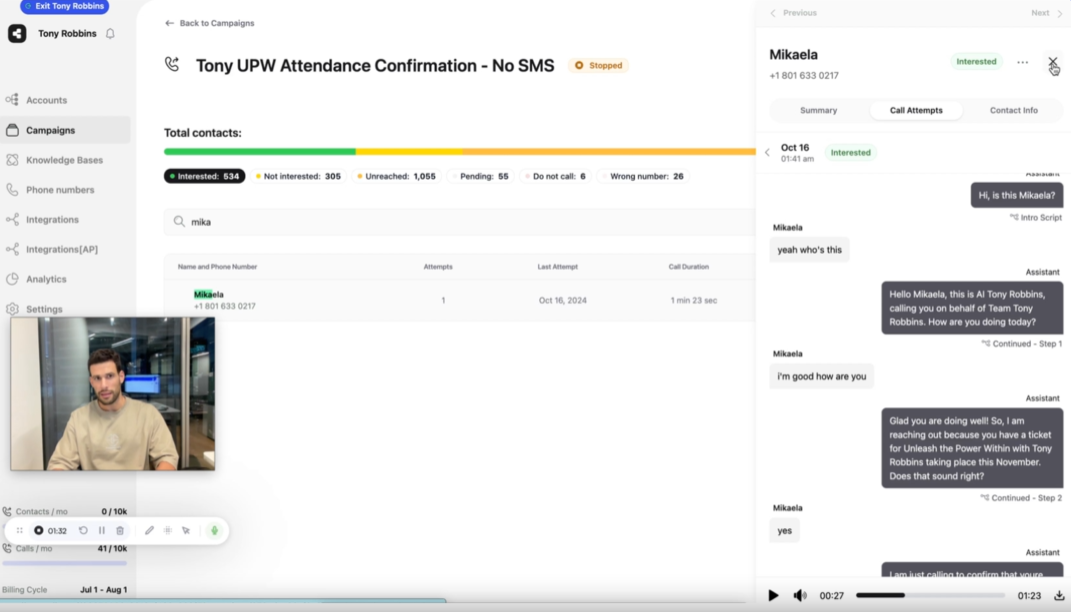
Callers runs one AI agent across every customer touchpoint, carrying the same context whether a conversation starts as a call, a text, or an email. Teams go live in days, not quarters, with a dedicated CSM included from week one and no pro-services contract standing between them and a working agent.
This pace matters most for mid-market B2C teams, the exact segment Synthflow's new $30,000 enterprise floor now prices out. Built AI-native rather than retrofitted onto a phone system, Callers gives operators direct control over their own campaigns, so growth stays tied to conversation volume rather than contract size.
Key Features
Campaign orchestration: Run multi-step sequences with conditional retries, pre-call triggers, and post-call actions in one flow
Omnichannel context layer: Share history across calls, SMS, WhatsApp, email, and chat so every touchpoint knows what came before
No-code campaign builder: Build and edit agents with a visual builder and AI-assisted scripting, no developers required
Native CRM integrations: Connect to HubSpot, Salesforce, Zendesk, Shopify, and 610+ tools without custom API work
Mid-call language switching: Switch languages in real time during a live conversation
AI-to-human handoff: Route a call to a live agent the moment a conversation calls for it
Compliance coverage: Operate under SOC 2, HIPAA, GDPR, PCI DSS, and CCPA
Pricing
Our pricing is quoted per account and tied to volume. You have to book a demo to get a number. It's priced per contact rather than per minute
Pros
Gets new agents live in days without a long build-out
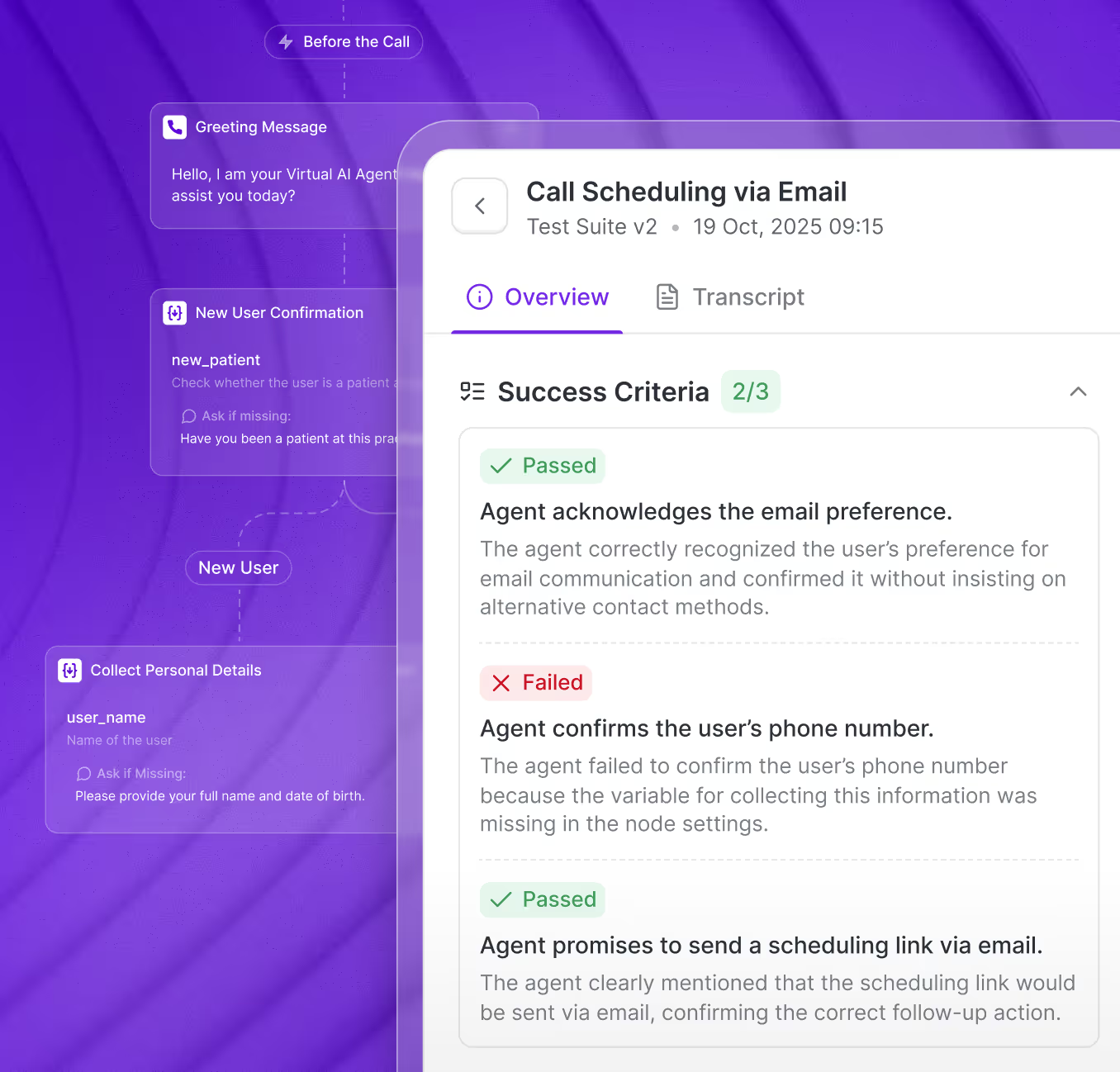
Surfaces where conversations break down and suggests improvements to lift success rate
Dedicated Customer Success Managers come standard on every plan
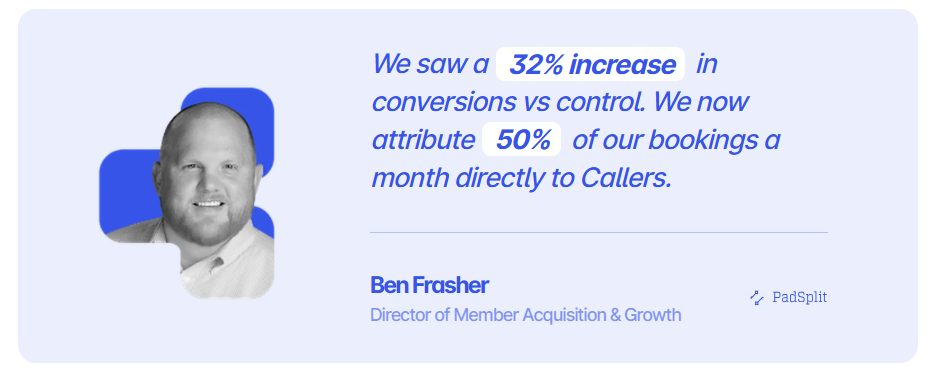
Achieved a 32% conversion lift for PadSplit's demand response program
Improves agent morale by shifting cold outbound work to willing AI-qualified conversations
Gives operators fine control over conversation trees and scripts
Cons
Company messaging around category positioning is still evolving
Why Choose Callers Over Synthflow
The $30,000 floor is the obvious reason. Callers prices per contact and scales with your volume, so mid-market teams aren't paying enterprise rates just to prove ROI.
The structural reasons run deeper. CRM integrations are native rather than routed through Zapier, so lookups happen while the caller is still on the line, and one agent carries context across SMS, WhatsApp, email, and chat that Synthflow treats as add-ons. A dedicated CSM from week one also covers the support gap that follows Synthflow's enterprise accounts.
2. Voiceflow
Voiceflow treats a phone script and a WhatsApp message as two branches of the same conversation, not two separate products stitched together later. That reach lets a team launch a chatbot first, then fold in a voice channel using the same logic and knowledge base.
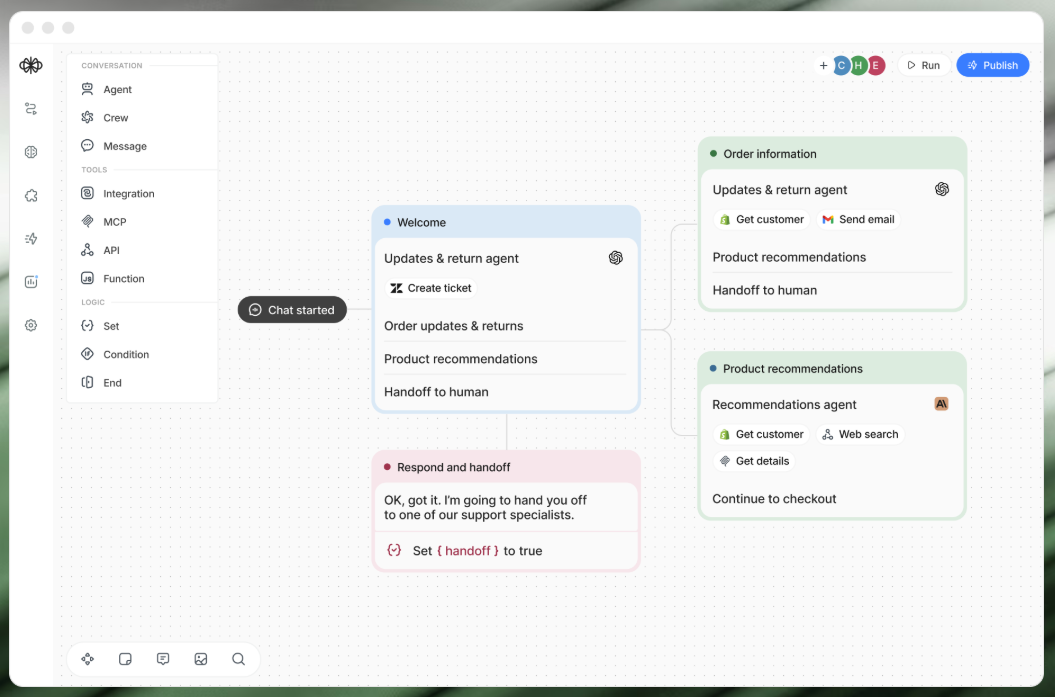
Synthflow's builder stays tuned to phone conversations alone, so a team chasing SMS or web chat outgrows it fast. Shared editing and version history keep that expanding scope manageable as more builders join.
Key Features
Visual Workflow Builder: Map voice and chat logic on a drag-and-drop canvas without code
Knowledge Base: Ground agent answers in your docs, help center, or sitemap using retrieval
Multi-LLM support: Switch between models, or bring your own, for different steps
300+ integrations: Connect to Salesforce, Zendesk, Shopify, and HubSpot
Pricing
Voiceflow combines a monthly subscription fee with usage-based credits
A free Starter plan is also available for testing, with limited agents and no production use
Pro plans starting at $60/month (10,000 credits, 1 editor) and $50 per additional editor seat
Rating
G2 rating: 4.6/5 (around 111 reviews)
Pros
Product, design, and engineering teams can co-edit flows together in real time
Approachable enough for beginners, yet flexible enough for advanced technical builders
Tag, comment, and assign permissions keep cross-functional reviews organized and fast
Active Discord community and tutorials help new builders get unstuck quickly
Cons
Paid LLM access is limited mainly to OpenAI and Anthropic models
Voice deployment depends on Twilio or Vonage rather than built-in telephony
Most integrations require API setup rather than plug-and-play connections, unlike Callers' 610+ native connections
Why Choose Voiceflow Over Synthflow
Voiceflow treats chat and voice as one design problem, so the logic and knowledge base behind your phone agent also power your web chat and WhatsApp presence, where Synthflow's builder stays tuned to phone calls. There's a real on-ramp here too, with a free tier and Pro at $60 a month, the kind of start-small path Synthflow eliminated when it went enterprise-only.
3. Retell AI
Retell hands the same call flow to two audiences at once, a visual canvas a business user can drag and drop, and raw API access an engineer can extend with custom logic underneath it.
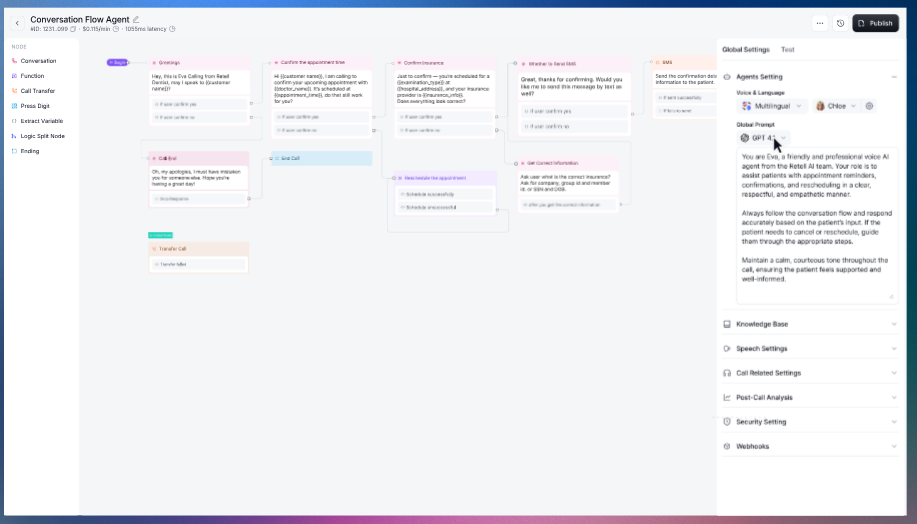
Warm transfers, CRM lookups, and thousands of concurrent sessions run through that same layer without a scoped enterprise conversation. Synthflow reserves that depth for negotiated contracts. Batch outbound campaigns and appointment reminders start simple on Retell, then scale into infrastructure as call volume and complexity grow.
Key Features
Drag-and-drop builder: Assemble call flows visually, then extend them with the API
Pay-per-minute billing: Pay only for the minutes you run, with no base fee
Low latency: Keep responses near 600ms for natural back-and-forth
Batch calling: Launch outbound call campaigns from the platform
Pricing
Retell publishes usage-based pricing from $0.07 to $0.31 per minute, with $10 in free credits, no flat base fee, and custom Enterprise pricing
Rating
G2 rating: 4.8/5 (around 2,638 reviews)
Pros
Reliability holds up well even as call volume scales up
Real-time function calling lets agents complete tasks mid-conversation successfully
Well-documented APIs help developers build custom integrations with confidence
Native integrations with telephony providers like Twilio and Telnyx work reliably
Cons
German language voice quality is a documented weak point for some users
Response pacing can lag during fast, back-and-forth conversations
Building custom conversation logic often requires developer-level scripting skills
Why Choose Retell AI Over Synthflow
Retell kept the usage-based model Synthflow walked away from. You pay $0.07 to $0.31 per minute from day one, and warm transfers, CRM lookups, and thousands of concurrent sessions come without a negotiated contract. The same platform serves operators through the visual canvas and engineers through the API, so it grows with your complexity rather than gating it.
4. Vapi
Vapi treats a voice agent like a stack you assemble piece by piece, letting a team pair its own speech, language, and voice model choices into one pipeline instead of accepting whichever bundle a vendor ships.
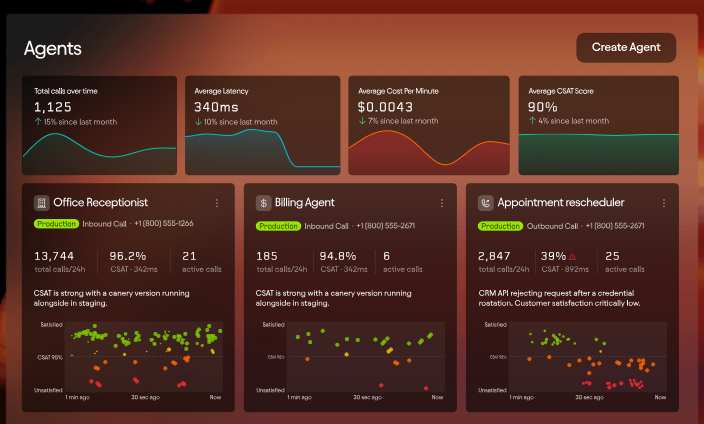
Synthflow keeps that stack fixed inside its own platform, with limited flexibility. Vapi's API-first build hands engineers real control over that pipeline, so a team already running its own model contracts extends that setup rather than replacing it.
Key Features
Model orchestration: Combine your choice of speech, language, and voice models into one agent
Bring your own keys: Use your own model accounts and pay providers directly
API-first build: Create and manage agents in code with full control
Compliance add-ons: Add HIPAA or zero-data-retention modes for a monthly fee
Pricing
Vapi charges $0.05 per minute for orchestration, with models billed on top at cost, plus $0.005 per message. HIPAA is a $2,000 per month add-on. Zero data retention is $1,000 per month
Rating
G2 rating: 4.2/5 (under 10 reviews)
Pros
Integration into existing products and workflows comes together easily
Flexible provider choice lets builders configure almost any voice bot setup
Fits solo builders and lean teams running receptionist or scheduling agents well
Multi-agent handoffs can handle more complex call scenarios
Cons
Latency is inconsistent, ranging from under a second to several seconds
Non-developers report the dashboard as difficult without engineering background
Debugging tools and call failure visibility remain limited for production use
Why Choose Vapi Over Synthflow
Vapi lets you compose the stack yourself rather than accepting the one Synthflow ships. Your team picks the speech recognition, language model, and voice that fit the use case, brings its own provider keys, and pays each vendor directly at cost. For engineering-led teams already holding model contracts, that's leverage a closed platform can't match.
5. Bland AI
Bland keeps each call, message, and transcript inside infrastructure it owns, running its own voice models instead of routing conversations through outside providers. That self-contained design lets healthcare, finance, and government teams deploy on-prem or inside a private cloud, keeping data from ever leaving their walls.
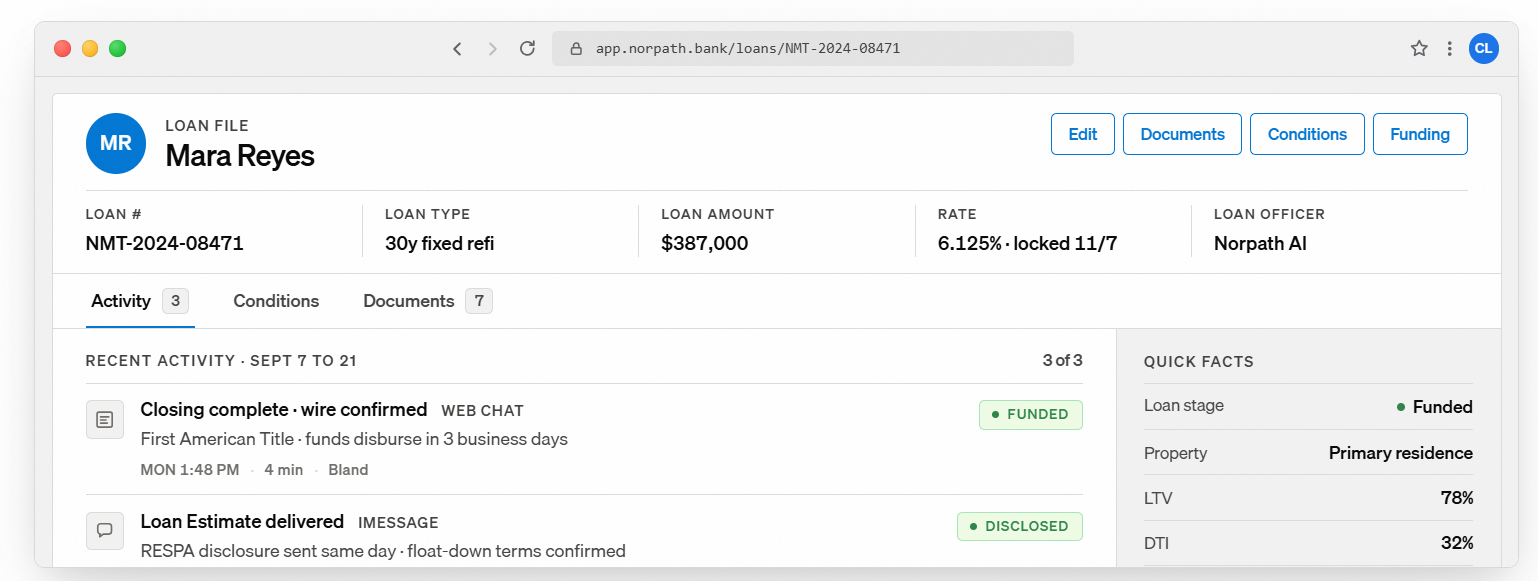
Synthflow's phone-first build stays lighter but stops at voice, while Bland carries the same memory across SMS, iMessage, and web chat, so a caller who texts back picks up where the call left off.
Key Features
Self-hosted deployment: Run agents on your own infrastructure, on-prem or in a private cloud
Pathways flows: Build call logic through structured conversation paths
Unified memory: Carry context across voice, SMS, iMessage, and web chat
Regulated-industry compliance: Operate under SOC 2 Type II, HIPAA, and PCI DSS
Pricing
Starts at $0.14/min with no platform fee. Transfer minutes and telephony are billed separately
Bland AI uses a flat per-minute rate covering the LLM, speech-to-text, and text-to-speech, with no token charges or model pass-throughs
Rating
G2 rating: around 5.0/5 (around 11 reviews)
Pros
Call latency stays impressively low even in complex conversations
Managing building, testing, deployment, and monitoring can all be done in one workspace
Strong flexibility for handling complex branching phone conversations
Pathways can embed disclosure and consent rules required for collections calls
Cons
Agents sometimes hallucinate details like incorrect prices or policy information
Key features like warm transfers and SSO sit behind enterprise-only plans
Per-minute billing makes inefficient or long calls costly quickly, whereas callers pay per contact instead
Why Choose Bland AI Over Synthflow
Bland answers the data sovereignty question Synthflow can't. Calls, transcripts, and models run inside infrastructure you control, on-prem or in a private cloud, which is why regulated healthcare and finance teams pick it. Memory spans SMS, iMessage, and web chat as well, and the flat $0.14 per minute rate with no platform fee undercuts a $30,000 annual commitment at most volumes.
6. CloudTalk
CloudTalk builds the AI voice layer directly into a working phone system, so routing, queuing, and live handoff already exist before a single automated call runs.
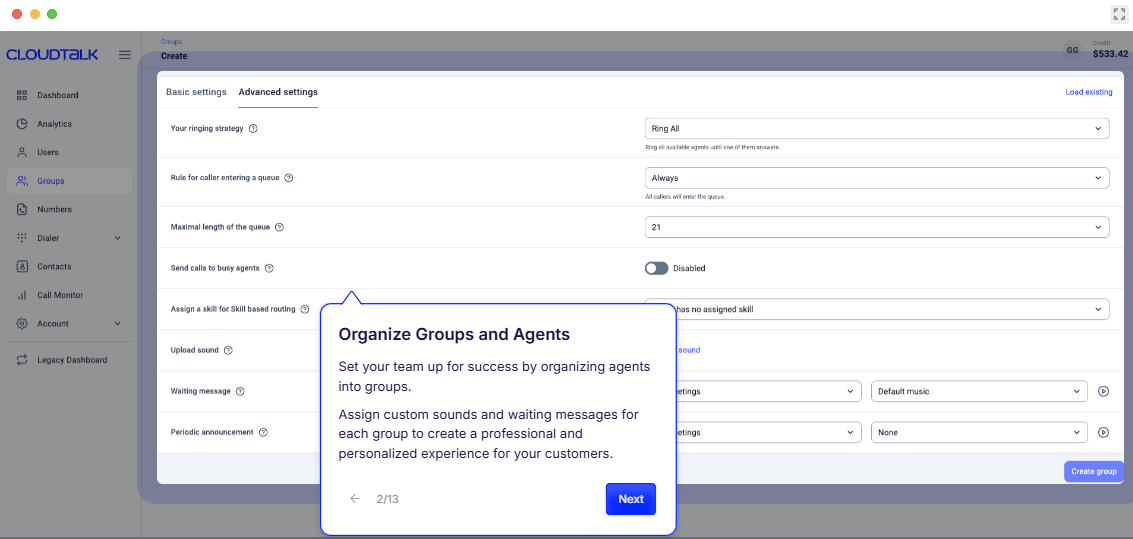
Synthflow's agents need a phone system stitched on separately, while CloudTalk's reps and AI answer from the same dashboard, sharing call history and CRM context without a handoff between tools. Parallel dialing and skills-based routing sit right alongside the AI layer, so a call an agent can't finish moves to a human without the customer repeating anything.
Key Features
Cloud call center: Route, queue, and record calls across a distributed team
AI Voice Agents: Add automated voice agents on top of the phone system
Call analytics: Track call volume, wait times, and agent performance
CRM integrations: Sync with HubSpot, Salesforce, and Pipedrive
Pricing
Business Phone System: Starts at $34/user/month. Includes cloud telephony, AI voice agents, CRM integrations, call routing, analytics, and optional AI features through paid add-ons
AI Voice Agents: Starts with a free AI Receptionist (50 minutes/month). Custom enterprise pricing is available with rates starting at €0.15/minute
Rating
G2 rating: 4.4/5 (around 1,849 reviews)
Pros
HubSpot integration stands out as reliably syncing calls and contacts automatically
Real-time sentiment tracking helps managers catch escalations as they happen
Local numbers across many countries help teams sound native internationally
Parallel dialing increases live conversations per rep without extra admin work
Cons
Mobile app is unreliable, especially on iOS
Occasional call drops and connection issues
Fragmented dashboards tend to complicate call tracking. Callers keeps one shared context layer instead
Why Choose CloudTalk Over Synthflow
CloudTalk starts from the phone system Synthflow makes you bring yourself. Local numbers cover far more countries than Synthflow's three, and reps and AI agents share one dashboard, call history, and CRM context, so a handoff never drops the thread. Entry runs $34 per user per month, and the free AI Receptionist gives you a way to trial the automation layer first.
7. Nextiva
Nextiva puts phone, video, team messaging, and a full contact center under one login, so an automation layer doesn't have to bolt onto a separate system somewhere else. Synthflow answers calls and stops there, leaving a team to patch in its own video and messaging tools around it.
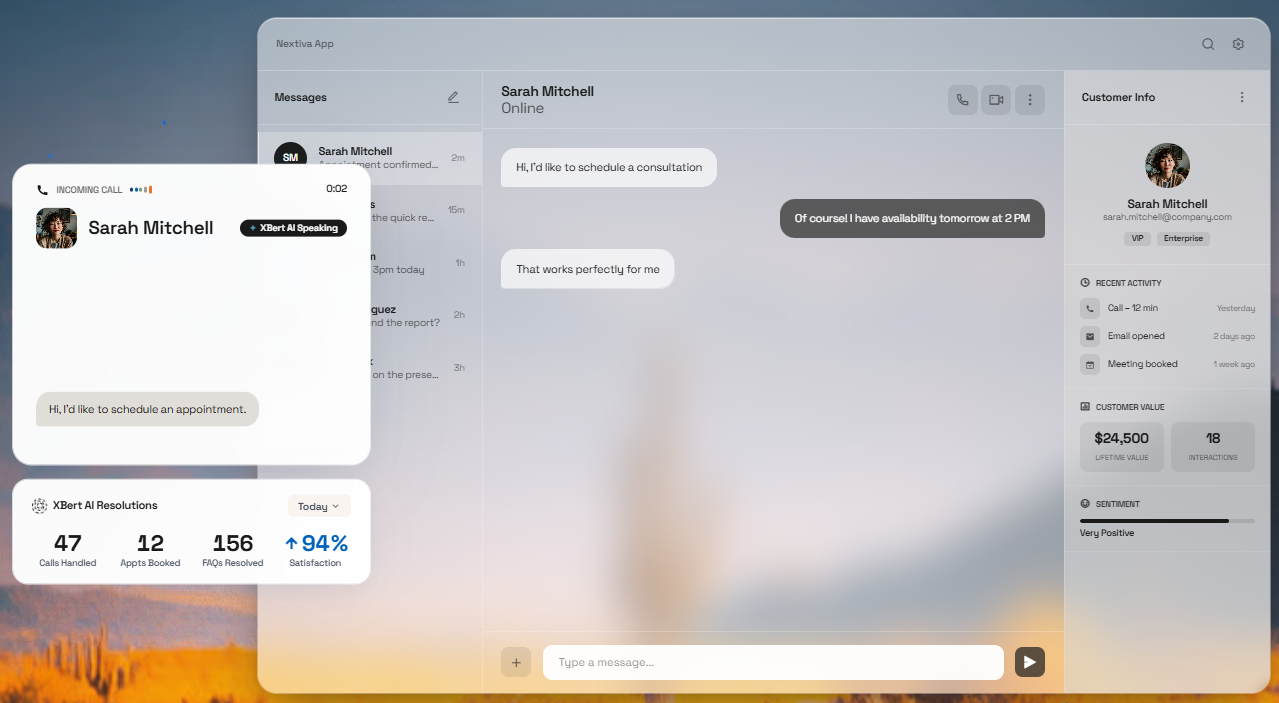
Nextiva's agents already sit inside the same dashboard customers reach through chat or a callback request, so a conversation that starts on one channel doesn't lose its history moving to the next.
Key Features
Unified communications: Combine phone, video, and team messaging in one platform
Contact center: Run inbound and outbound support with routing and queuing
AI tools: Add automation and assistance across voice and messaging
CRM integrations: Connect to Salesforce, HubSpot, and Zendesk
Pricing
Plans start at $23/user/month, with XBert AI Receptionist available as an add-on across all tiers
Rating
G2 rating: 4.5/5 (around 3,604 reviews)
Pros
Call quality is consistent and clear, even for remote team members
Onboarding feels smooth enough that new agents get set up quickly
Platform feels cohesive rather than several tools stitched together
Call recording is valuable for training and quality checks
Cons
Regulatory fees can push final bills 20 to 40 percent higher
Some users report occasional random dropped calls without clear explanation
The desktop app can feel heavy and sluggish on older machines
Why Choose Nextiva Over Synthflow
Nextiva makes sense when calls are only part of the problem. Phone, video, team messaging, and a contact center sit under one login, so you're consolidating tools rather than adding another point solution that stops at voice. Per-user pricing from $23 a month keeps the decision reversible, with no enterprise minimum to clear before you've proven the ROI.
8. PolyAI
PolyAI trains its own dialog model on more than a billion real enterprise conversations, so it already recognizes the ambiguous, emotionally loaded calls a general-purpose voice stack still has to learn on the job.
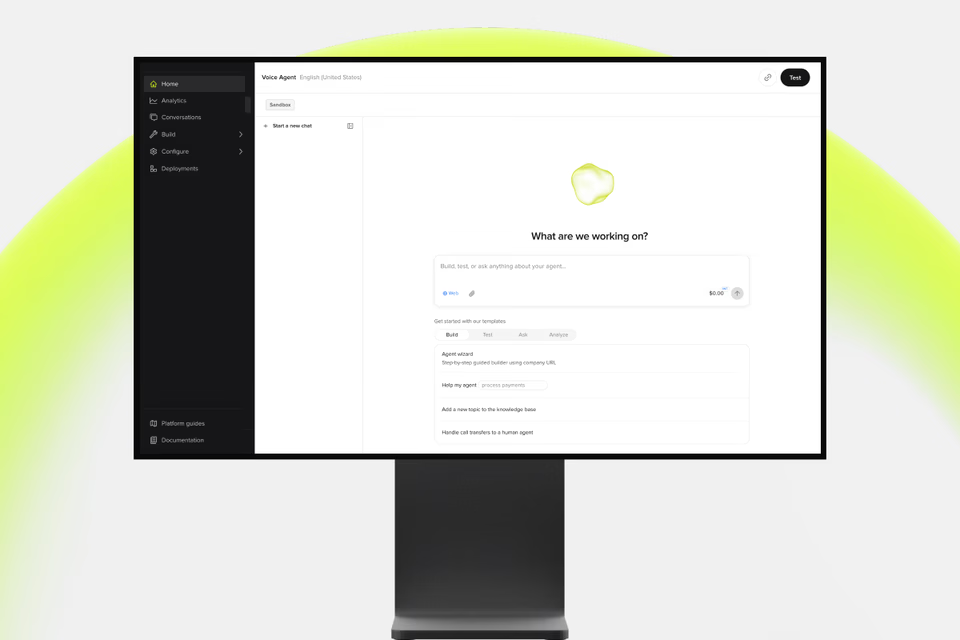
That shows up in production at hotel chains and regulated industries already running at meaningful scale, past the pilot stage. Synthflow's agents plug in fast for standard use cases, while PolyAI slots into a bank's or hospital's existing phone system, so nothing about the call center itself has to change.
Key Features
Raven model: Handle open-ended conversations with a purpose-built voice model.
Agent Studio: Build agents no-code, with a developer kit for deeper work.
Enterprise compliance: Operate under SOC 2, HIPAA, and PCI standards.
Contact-center integrations: Connect into existing enterprise phone systems.
Pricing
Priced on a per-minute basis, which includes proactive performance improvements, maintenance, and 24/7 support. Exact figures are not available publicly
Rating
G2 rating: 5.0/5 (around 12 reviews). Gartner Peer Insights 4.5/5 (around 28 reviews).
Pros
Support team is highly responsive during implementation
Agents handle interruptions and topic changes without losing the thread
Simple, user-friendly interfaces despite deep functionality
Integration into existing software systems is seamless
Cons
Voice analytics for analyzing customer requests is a commonly requested gap
Iterating quickly on flows can feel slow for fast-moving teams
Complex, edge case scenarios can still pose challenges for the assistant
Why Choose PolyAI Over Synthflow
PolyAI's dialog model is trained on more than a billion real enterprise conversations, so it handles the ambiguous, emotionally loaded calls that expose the limits of general-purpose stacks like Synthflow's. It also drops into a bank's or hotel chain's existing phone system rather than asking the call center to change, a fit Synthflow's lighter build was never aimed at.
9. Cognigy
Cognigy treats a contact center as connective tissue, plugging directly into Genesys, Avaya, or NICE CXone instead of asking a business to route calls through a separate voice layer first.
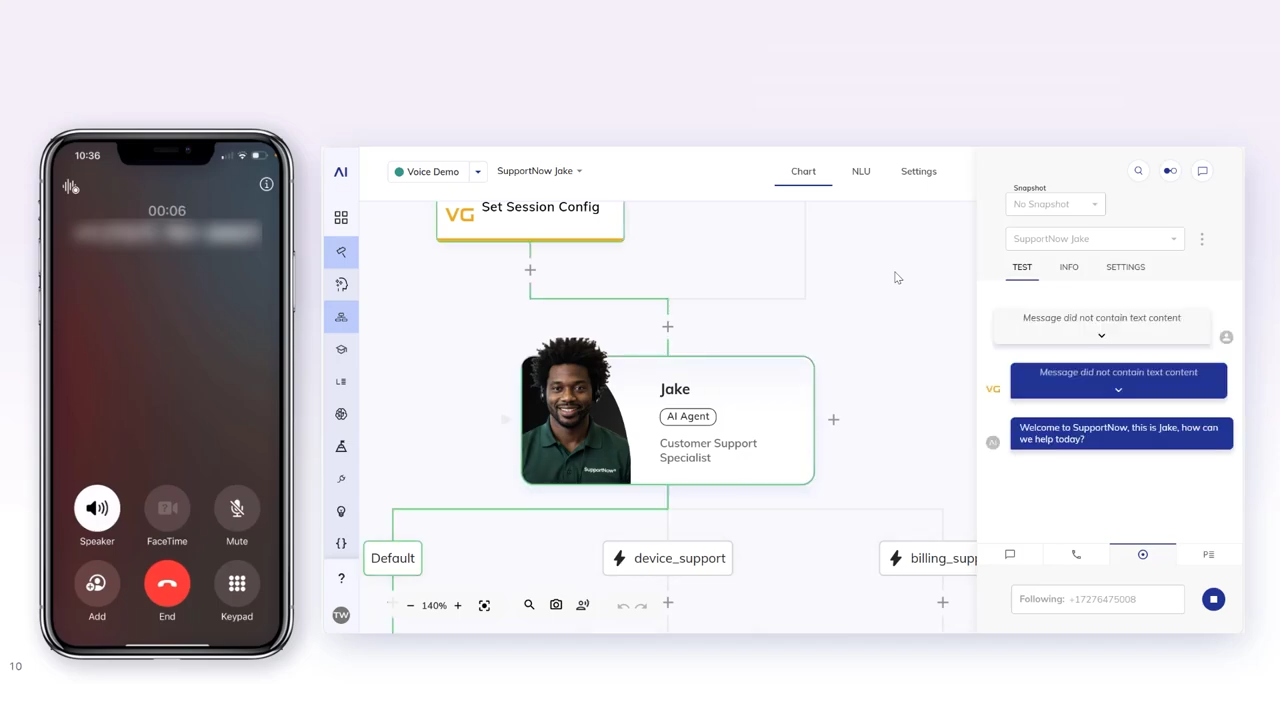
One deployment can span multiple business units and countries, coordinating LLMs, agent assist, and knowledge retrieval as a single system instead of several vendors bolted together. Synthflow still asks a team to manage phone automation on its own, while Cognigy folds that layer into infrastructure already running the rest of the contact center.
Key Features
Voice and chat automation: Automate conversations across channels and languages
Agent Copilot: Assist live human agents with real-time suggestions
Knowledge AI: Answer from enterprise knowledge sources
Contact-center integrations: Connect to Genesys, Avaya, Amazon Connect, and NICE CXone
Pricing
Custom, sales-led enterprise contracts tailored to specific business requirements
Rating
G2 rating: 4.6/5 (around 13 reviews), Capterra 4.8/5 (around 23 reviews)
Pros
Large integration marketplace lets teams connect third-party tools easily
Solid documentation and intent training help teams fine-tune conversations well
Low-code approach lets business users improve their own processes directly
Highly flexibile for scaling automation across many use cases
Cons
Analytics and reporting capabilities feel limited for advanced chat flow needs
Getting past basic setup requires skills like API, JavaScript, or HTTP
Smaller customer accounts sometimes struggle to justify the platform's scale
Why Choose Cognigy Over Synthflow
If your calls already run through Genesys, Avaya, or NICE CXone, Cognigy joins that infrastructure instead of sitting beside it the way Synthflow does. One deployment coordinates automation, agent assist, and knowledge retrieval across business units, countries, and languages, a scale phone automation on its own can't reach.
10. Sierra
Sierra runs one AI agent across chat, voice, email, and every channel a brand uses, built from a single Agent OS instead of separate tools per channel.
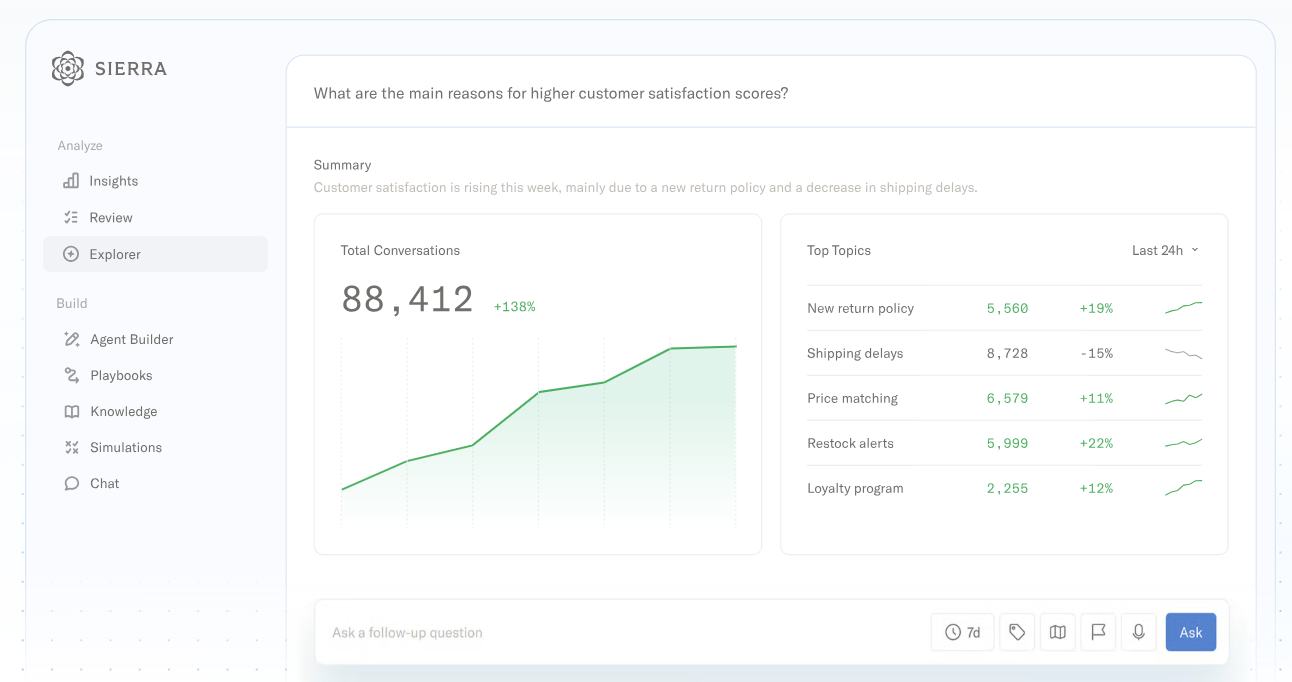
Its Ghostwriter tool builds a new agent from a transcript or a plain-English description in minutes, something Synthflow still requires manual flow-building to match. Sierra also bills by resolution rather than call activity, so a finance team can trace spend straight to outcomes instead of guessing at usage from a stack of call minutes.
Key Features
Outcome-based agents: Pay for resolved issues rather than seats or minutes
Multichannel support: Handle chat, SMS, WhatsApp, email, and voice
Agent Studio: Configure agent behavior and guardrails
Analytics: Track resolution rates and conversation quality
Pricing
The platform is outcome-based. You pay when the AI achieves a predefined successful outcome such as a resolved conversation, saved cancellation, upsell, or cross-sell. Exact figures are not stated.
Rating
G2 rating: 4.4/5 (around 49 reviews)
Pros
Agents feel genuinely empathetic rather than robotic in tone
Strong guardrails and supervision protect brand integrity
Fast, fluent support across many supported languages
Interface is still user-friendly despite its complexity
Cons
Agent can lose context and repeat itself in longer conversations
Occasional bugs and slow performance during live conversations
Agent changes typically require coordination with Sierra's team
Why Choose Sierra Over Synthflow
Ghostwriter builds a working agent from a transcript or a plain-English description in minutes, while Synthflow still asks you to assemble flows by hand. Billing lands on resolutions rather than activity, so finance sees exactly what the spend bought. For brands running service across chat, email, and voice at once, one Agent OS beats a voice tool plus patches.
How We Evaluated These Alternatives
We built this list by combining hands-on testing of each platform's demo or trial environment with a close read of verified user feedback on G2, Gartner Peer Insights, and Capterra. We didn't just rely on vendor pitch decks.
For every platform, we looked at:
Deployment reality: How fast a team actually goes live, not the timeline on the sales page. Callers set the bar here at days, not weeks.
Channel depth: Whether the platform runs one agent across voice, chat, and messaging or automates a single channel and leaves the rest to be stitched together separately.
Conversation quality: How agents handle interruptions, topic changes, and mid-call handoffs, since this is where most voice AI tools reveal their limits.
Integration and compliance depth: How cleanly each platform connects into existing CRM, telephony, and security requirements without custom engineering work.
Buyer fit: Whether the platform suits the team evaluating it. A build tuned for a regulated enterprise contact center often overwhelms a lean mid-market team, and a self-serve tool built for developers often underserves an operator-led CX team.
Keep in mind that we update this list regularly as vendors ship new features or change their positioning.
How to Choose the Best Synthflow Alternative
This comes down to matching the tool to how your team actually operates. Here’s what we mean:
Match deployment speed to your urgency: Some platforms need weeks of engineering setup, others go live from a self-serve signup. Know which one your team actually has time for.
Check channel coverage against your real workload: A phone-only tool is fine if calls are your only channel, but most B2C teams juggle SMS, email, and chat too, and stitching separate tools together adds friction.
Confirm compliance fits your industry, not just your ambitions: HIPAA, PCI DSS, and SOC 2 matter differently depending on whether you handle payments, health data, or neither.
Understand the pricing model before you commit: Per-minute, per-seat, per-contact, and outcome-based pricing all shift your total cost differently as volume grows.
Look for a platform that tells you why conversations fail, not just that they did: Callers surfaces where a conversation breaks down and suggests specific fixes to lift success rate, which matters more once a campaign is live and you need to improve it, not just launch it.
Weigh your team's technical depth honestly: A platform built for engineers will frustrate an operator-led CX team, and the reverse holds true too.
Frequently Asked Questions (FAQs)
Can These Synthflow Alternatives Handle Both Inbound and Outbound?
Most do. Callers, CloudTalk, Nextiva, Retell, Vapi, and Bland AI. A few lean one way. Sierra focuses on post-purchase service rather than outbound conversion, and PolyAI centers on inbound self-service.
Can I Switch From Synthflow Without Losing My Call Scripts?
No. Each platform uses its own proprietary format, so scripts need rebuilding. No-code builders like Callers speed that up since flows are visual rather than coded. Still budget real time for testing before going live.
What Should I Look Out for When Testing a Platform Before Committing to a Contract?
Run real calls, not scripted demos. Test interruption handling, topic changes, and human handoffs. Confirm pricing at your actual volume, including add-ons. Check integration depth with your CRM and telephony setup, and scan recent reviews for reliability complaints at scale.
Which Platform Supports Outbound Compliance Requirements Like TCPA?
Most leave TCPA and consent compliance to the customer. Bland AI's Pathways can embed disclosure and consent steps into a call flow. Otherwise, compliance depends on script setup, opt-in capture, and calling windows, not a vendor guarantee.
How Do I Know if a Platform Will Scale With My Call Volume?
Look for reference customers near your volume, not just logos. Ask about concurrency limits, not only per-minute rates. Read reviews for scale-specific issues like dropped calls or dashboard fragmentation. If possible, pilot at real volume before signing a full contract.
Scale High-Volume Customer Conversations with Callers
Synthflow's move to enterprise-only pricing left a real gap for teams that still need to handle high call and message volume without a six-figure commitment or a months-long procurement cycle.
Callers fits mid-market B2C teams that want one AI agent running across calls, texts, and email instead of stitching separate tools together. Campaigns go live in days, a dedicated CSM is included from week one, and CX teams build and edit flows themselves without waiting on developers.
Book a demo with Callers and see how quickly a working agent can go live.