:quality(80))
:quality(80))
:quality(80))

We Review the 10 Best IVR Software Platforms and Alternatives for 2026
:quality(80))
:quality(80))
Quick Summary
Callers is the best IVR alternative for high-volume B2C teams that want calls resolved, not just routed, while Five9, Genesys Cloud CX, NiCE CXone Mpower, Talkdesk, Twilio, RingCentral RingEX, Nextiva, CloudTalk, and Aircall serve enterprise, developer, and small-team routing needs well.
The top 3 are:
# | Platform | Best For | Pricing |
1 | Callers | High-volume B2C teams that want an IVR alternative, not a better menu | Custom, usage-based per minute |
2 | Five9 | Enterprise CCaaS with a full contact center | From $119/seat/mo |
3 | Genesys Cloud CX | Large enterprises blending menu and conversational IVR | From $75/user/mo |
Looking for IVR Software Your Callers Won’t Fight With?
Your IVR is supposed to make life easier. Instead, callers end up pressing 1, waiting, pressing 3, and then explaining everything all over again when an agent finally picks up.
Some IVR platforms make the menu easier to navigate. Others let callers skip the menu altogether and simply say what they need. A few offer both, and the difference becomes much more noticeable as call volume grows.
In this Callers article, we compare 10 IVR platforms and alternatives based on their pricing, features, and the level of control they give your team over call flows.
But first…
Why Listen to Us?
We build the AI voice systems that replace IVR menus for a living. Callers powers conversations for DoorDash, Einride, PadSplit, and VGM, handling 150 million+ moments a year across high-volume B2C operations. That vantage point, comparing platforms daily as clients switch, scale, or troubleshoot, gives us direct insight into how the top IVR tools actually hold up in 2026.

What Is IVR Software?
IVR software, or Interactive Voice Response software, lets callers interact with a phone system using voice commands or keypad inputs instead of waiting for a live agent. It routes calls based on the options a caller selects, whether that means checking an account balance, paying a bill, or reaching the right department.
Modern platforms go further, pulling data from a CRM in real time to personalize the menu based on who is calling. Some use natural language processing so callers can speak requests instead of pressing numbers.
Why Use IVR Software?
Shorter wait times: IVR handles simple requests on its own, so callers with basic questions get resolved fast without waiting for an agent.
Fits into existing systems: The best platforms integrate with existing systems, so calls connect straight to the right CRM record or support ticket.
Handles multiple languages: Callers get routed correctly and served in their own language, without extra staffing for each one.
Updates without a developer: Operators can change call flows and menu options on their own, so fixes ship the same day, much like the no-code AI agents the platform, Callers, runs on.
Lower cost per interaction: Every simple request the system resolves on its own is one less call an agent has to handle.
Collects details before the agent picks up: IVR gathers account numbers, order numbers, or truck numbers up front, so the agent starts the call already knowing them.
Our Top 10 IVR Platforms and Alternatives
Below is a summary of the platforms we will cover in this review:
# | Tool | Best For | Main Trade-Off | Starting Price |
1 | Callers | High-volume B2C teams that want an IVR alternative, not a better menu | Sensitive calls still need a human | Custom, usage-based per minute |
2 | Five9 | Enterprise CCaaS with full contact center | Costs track headcount, even on AI-handled calls | From $119/seat/mo |
3 | Genesys Cloud CX | Large enterprises blending menu + conversational IVR | Full platform commitment, not just IVR | From $75/user/mo |
4 | NiCE CXone Mpower | Enterprise IVR with native speech self-service | Admin and routing sync issues reported | From $110/agent/mo |
5 | Talkdesk | Low-code IVR routing on speech and CRM data | Custom flows need real platform know-how | From $85/user/mo |
6 | Twilio | Dev teams wanting full code-level control | Nothing turnkey without engineers | $0.0085/min + usage |
7 | RingCentral RingEX | Growing teams wanting free IVR now, AI later | Overflow queues ring the whole group | From $20/user/mo |
8 | Nextiva | Ops-controlled routing without IT tickets | CRM pop-up fires on ~10% of calls | From $23/user/mo |
9 | CloudTalk | Fast, self-serve IVR for growing teams | Reporting ceiling past ~200 seats | From $29/user/mo |
10 | Aircall | Small teams wanting IVR from day one | Misrouting reported at high daily volume | From $40/license/mo |
1. Callers
Traditional IVR sends callers through a series of menus and hopes they end up in the right place. Callers takes a more conversational approach, letting people explain what they need instead of navigating a keypad tree.
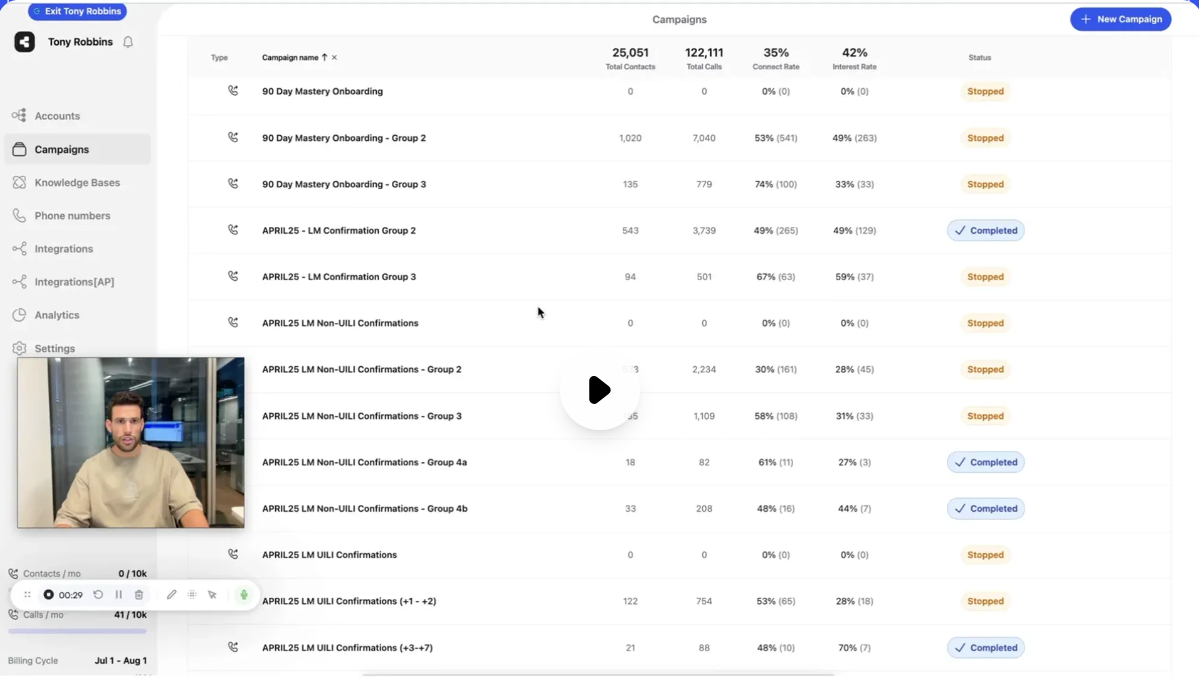
During the call, it can pull live account and order information from connected systems and use that context to resolve requests rather than simply passing calls to an agent. That is a resolution layer rather than a routing menu.
When a call does need human help, the agent receives the conversation context, so the caller doesn't have to start over.
Key Features
Natural-language answering: Let callers describe the problem in their own words, with no menu to sit through
One Brain context layer: Carry a customer's history across calls, SMS, WhatsApp, email and chat
No-code script builder: Edit conversation flows by dragging steps, with AI help writing the script
Live warm transfer: Hand a call to a human mid-conversation and pass the transcript with it
Step-level funnel analytics: See which line in the script callers drop out on, then rewrite it
Campaign orchestration: Run the follow-up text, the retry and the CRM write-back in one workflow
Native CRM integrations: Connect Salesforce, HubSpot and 610+ tools to update records mid-call
Pricing
Our pricing is quoted per account and tied to volume. You have to book a demo to get a number. It's priced per minute, tiered by monthly volume
Pros
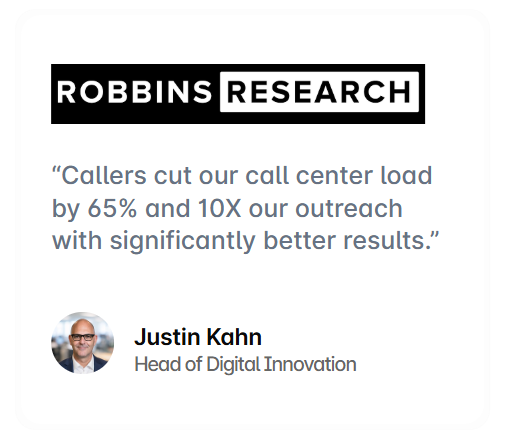
Cuts call center load by 65% by resolving requests instead of routing them
Answers calls in under 30 seconds, with no menu to navigate
Lifts CSAT scores by about 10 points versus traditional phone menus
Escalated calls carry full context, so callers avoid repeating themselves
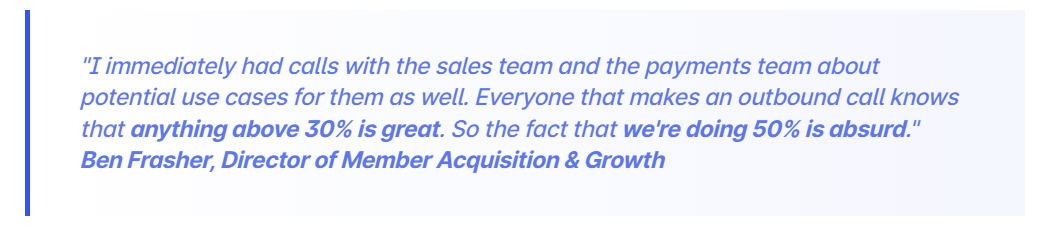
PadSplit reached a 51% connection rate, well above the 10% industry norm
Frees roughly 40% more operator time for complex, non-routine calls
Cons
Complex or sensitive calls still need to escalate to a person
Best for: Mid-market B2C companies with high call and message volume who want an IVR alternative that resolves requests, not just routes them.
2. Five9
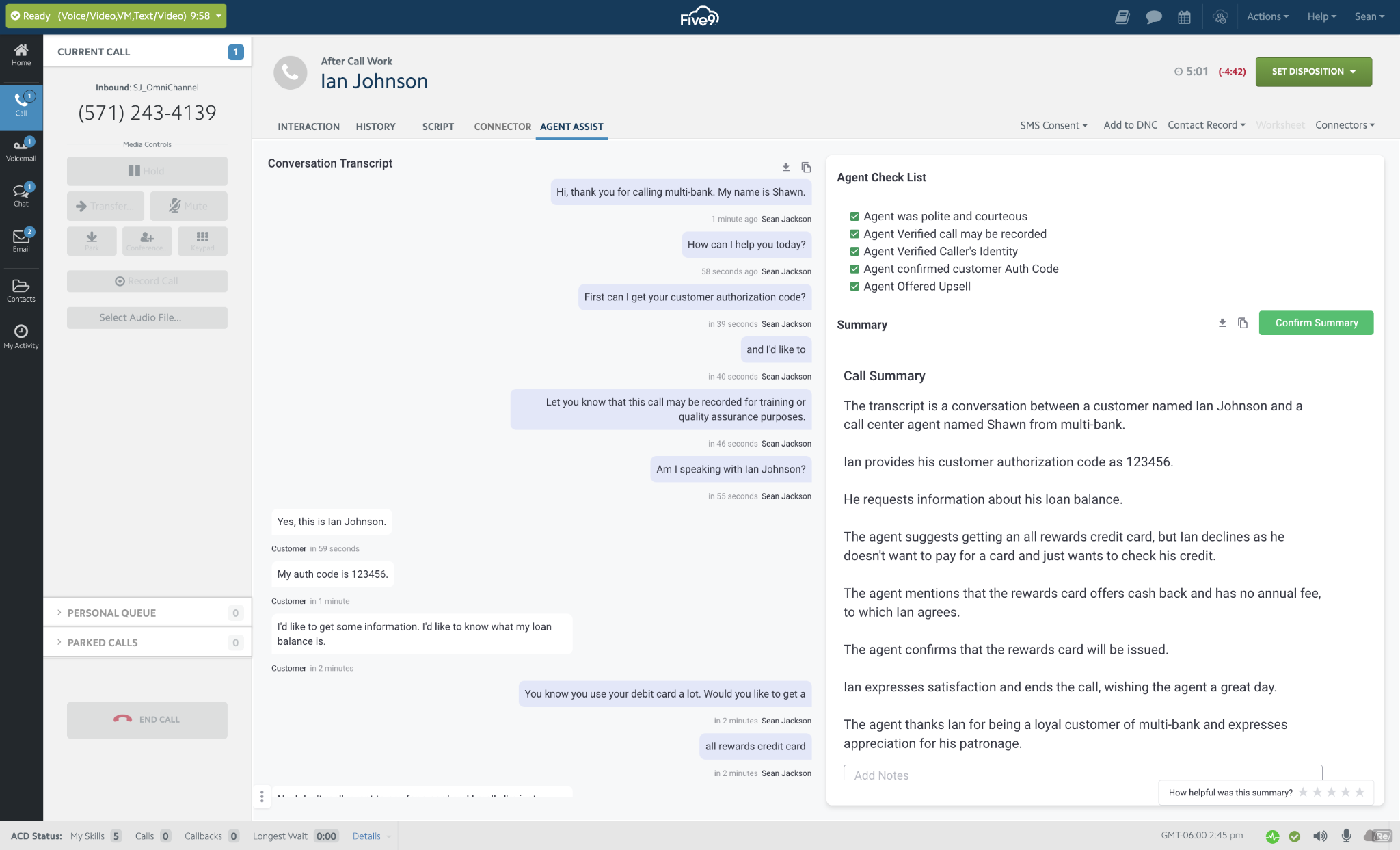
Five9 started with the traditional call center model, where IVR meant navigating a series of menus and keypad options. Its platform has since evolved to support conversational IVR, allowing callers to describe what they need in full sentences rather than relying solely on keypresses. The IVR is part of Five9's broader contact center platform, so teams can manage call routing alongside other tools for large-scale phone operations.
Key Features
Intelligent Virtual Agent: Automate common requests on voice and digital before a human is involved
Task template library: Start from pre-built flows for standard and industry actions
Voice avatar selection: Choose from 25 synthetic voices to match the brand
Context-carrying transfer: Pass the IVA's conversation to the agent who takes over
Pricing
Five9 uses seat-based bundles, starting with Digital, which covers chat, email, SMS, and social messaging for $119 per seat monthly
Core adds voice and essential AI at $159
Plus, Pro, and Enterprise layer in advanced AI and workforce tools through custom quotes
Rating
G2 rating: 4.1 out of 5 (around 625 reviews)
Pros
Seats include the whole contact center, not just the menu layer
Salesforce integration lets IVR context flow straight into the agent's screen
Ability to build entire IVRs from scratch without needing engineering support
A proactive insights module flags where IVR self-service breaks down
Cons
Admin console for IVR configuration still requires Java in some setups
Feature and IVR enhancement rollouts can take a long time to ship
Cost tracks headcount even when the IVA handled the call. Callers prices per minute, tiered by volume, instead
Best for: Enterprise contact centers wanting IVR built into a full CCaaS platform with agent and reporting tools.
3. Genesys Cloud CX
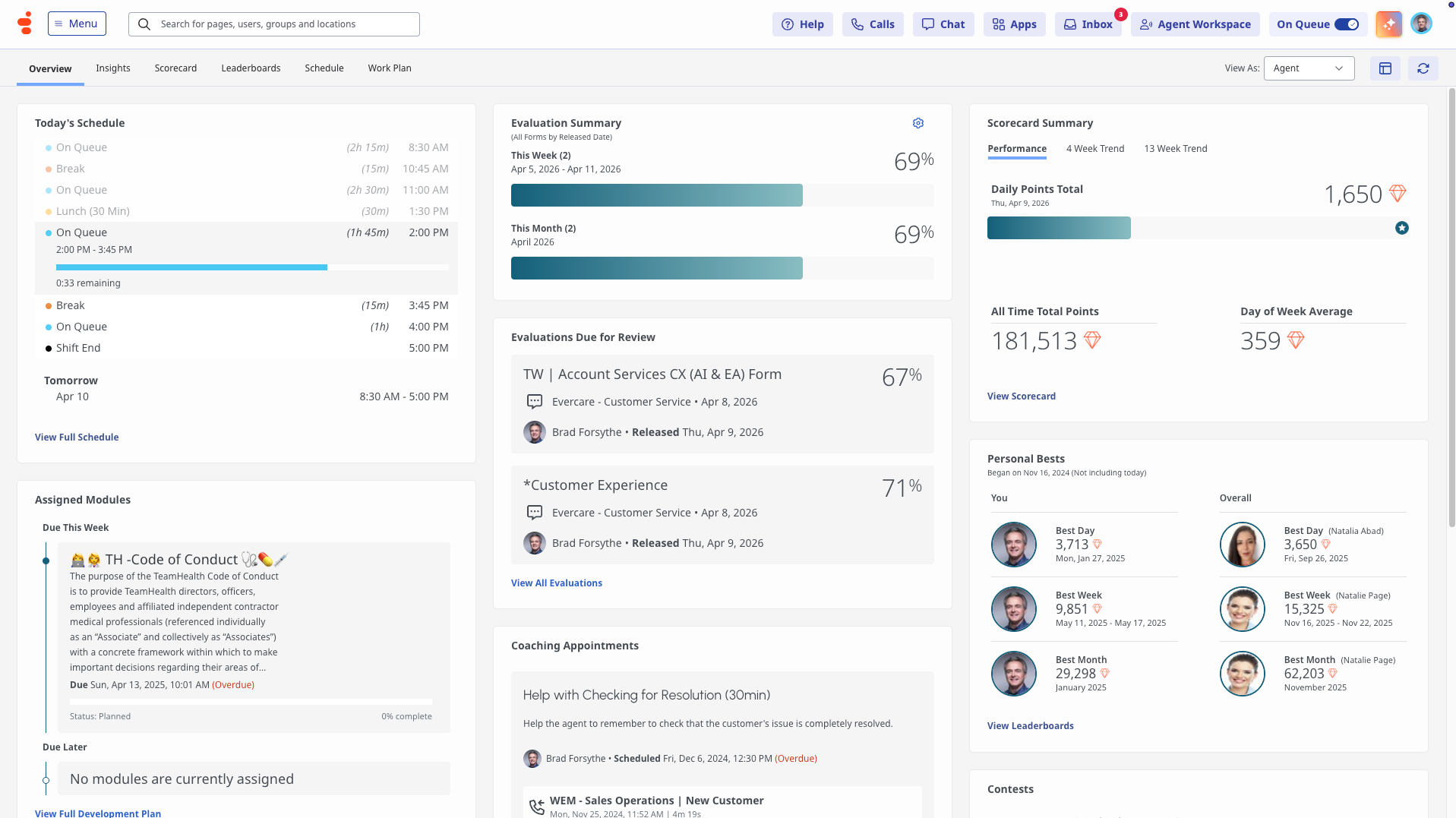
Genesys Cloud CX brings traditional and conversational IVR together in one visual builder. Callers can still use familiar keypad options, such as pressing 3 for billing, or simply explain what they need in their own words. Both experiences are managed within the same system, making it easier to support different caller preferences.
Contact centers can add conversational self-service to their existing touch-tone menus without having to rebuild their call flows from scratch. The platform also offers the routing and compliance capabilities that larger organizations often need.
Key Features
Architect flow designer: Build and version call flows visually without hand-writing routing logic
Voicebot intent and slots: Capture what the caller wants plus the values you need
Configurable retry handling: Decide what a failed attempt triggers, from a message to a callback
AppFoundry integrations: Connect prebuilt apps from Genesys's marketplace directly into the call flow
Pricing
Licensing is named, concurrent, or hourly.
CX 1 (voice-only) at $75
CX 2 (omnichannel) at $115
CX 3 (adds workforce engagement) at $155
CX 4 (advanced AI) at $240 monthly
Rating
G2 rating: 4.4 out of 5 (around 1,558 reviews)
Pros
Concurrent and hourly licensing suits heavy shift patterns and seasonal peaks
With Architect, routing that's custom code elsewhere is supported on Genesys
Multilingual auto-attendants adapt to callers without separate menu trees
Skill-based and priority routing improves first-contact resolution
Cons
A good voicebot flow still needs someone who understands intents and slots
It's a full platform commitment, so you're migrating the contact center too
Permission errors in Data Actions and API calls aren't always clearly explained
Best for: Large enterprises needing IVR that blends menu-driven and conversational self-service within one platform.
4. NiCE CXone Mpower
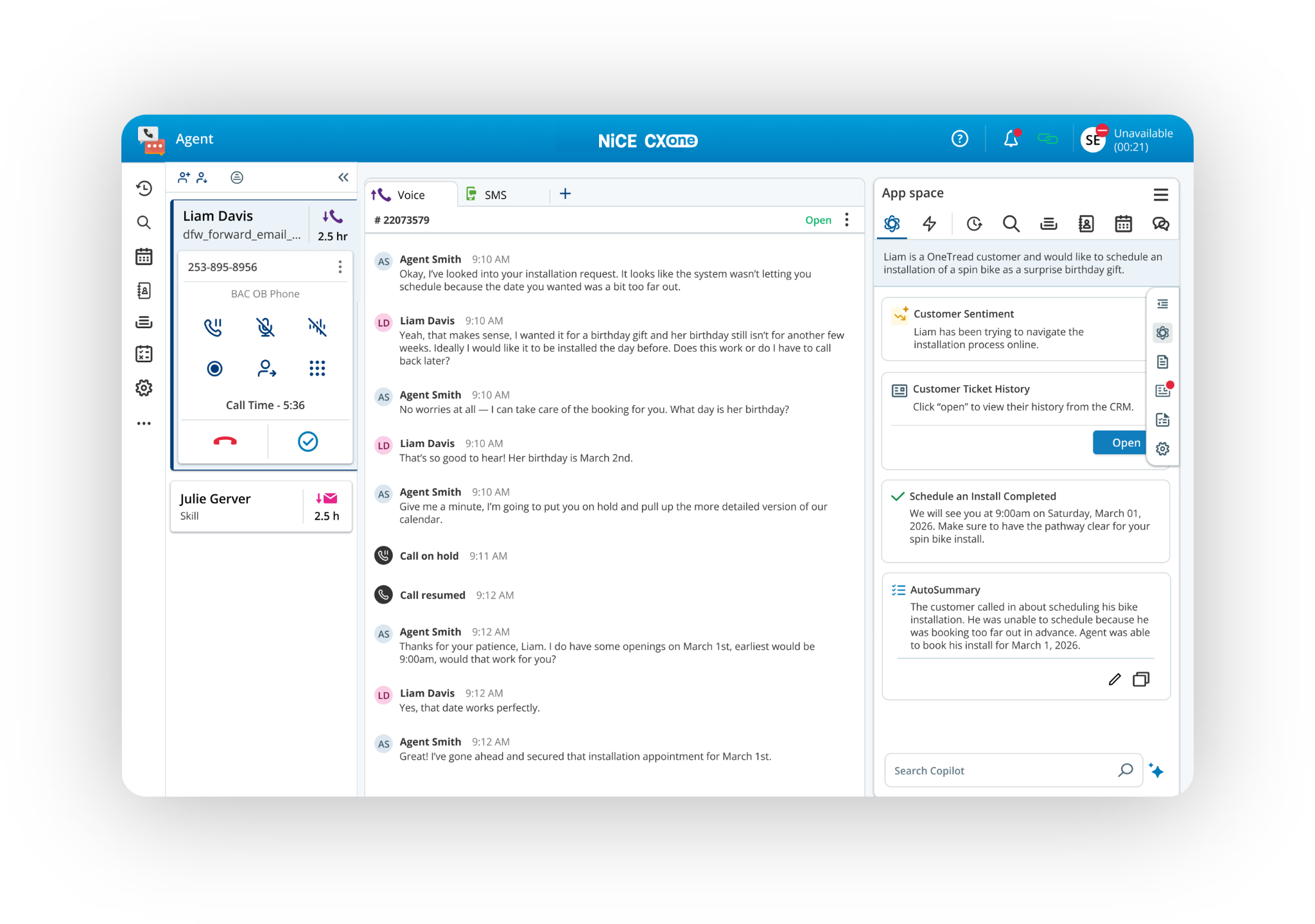
NiCE CXone Mpower puts IVR, call routing, and analytics in the same platform, so the pieces work together rather than operating as separate tools. When a caller explains what they need, that information can feed directly into ACD routing to help determine where the call should go next. The result is an IVR that can use caller intent and context to make routing decisions, rather than relying only on fixed menu options.
Key Features
Native ACD integration: Route on what the caller told the IVR, with no stitching between systems
Speech-driven self-service: Let callers say what they need using built-in ASR, TTS and NLU
Context-complete handoff: Give the agent everything the caller already provided
Suite-level packaging: Pick a bundle matching the channels and AI you use
Pricing
NiCE CXone runs six core tiers, from Omnichannel Suite at $110 per agent monthly up to Ultimate Suite at $249 plus $0.25 per AI session, each adding more workforce and automation tools
Industry-specific bundles (banking, healthcare, insurance, retail) run similarly, priced per agent or per consumer for government
Rating
G2 rating: 4.3 out of 5 (around 1,730 reviews)
Pros
Self-service and routing share one data model, so nothing gets lost between them
Ultimate can be bought per session, which helps when agent count misreads volume.
Industry packages exist for banking, insurance, healthcare, retail and government.
Features SIP-based handoff to external systems
Cons
Studio script nodes reportedly take time to load, causing noticeable lag
NICE's own scripting syntax needs clearer documentation
Admin access and ACD call routing don't always sync reliably, an area where Callers keeps data in one layer
Best for: Enterprise contact centers wanting IVR routing and speech self-service built natively into one AI platform.
5. Talkdesk
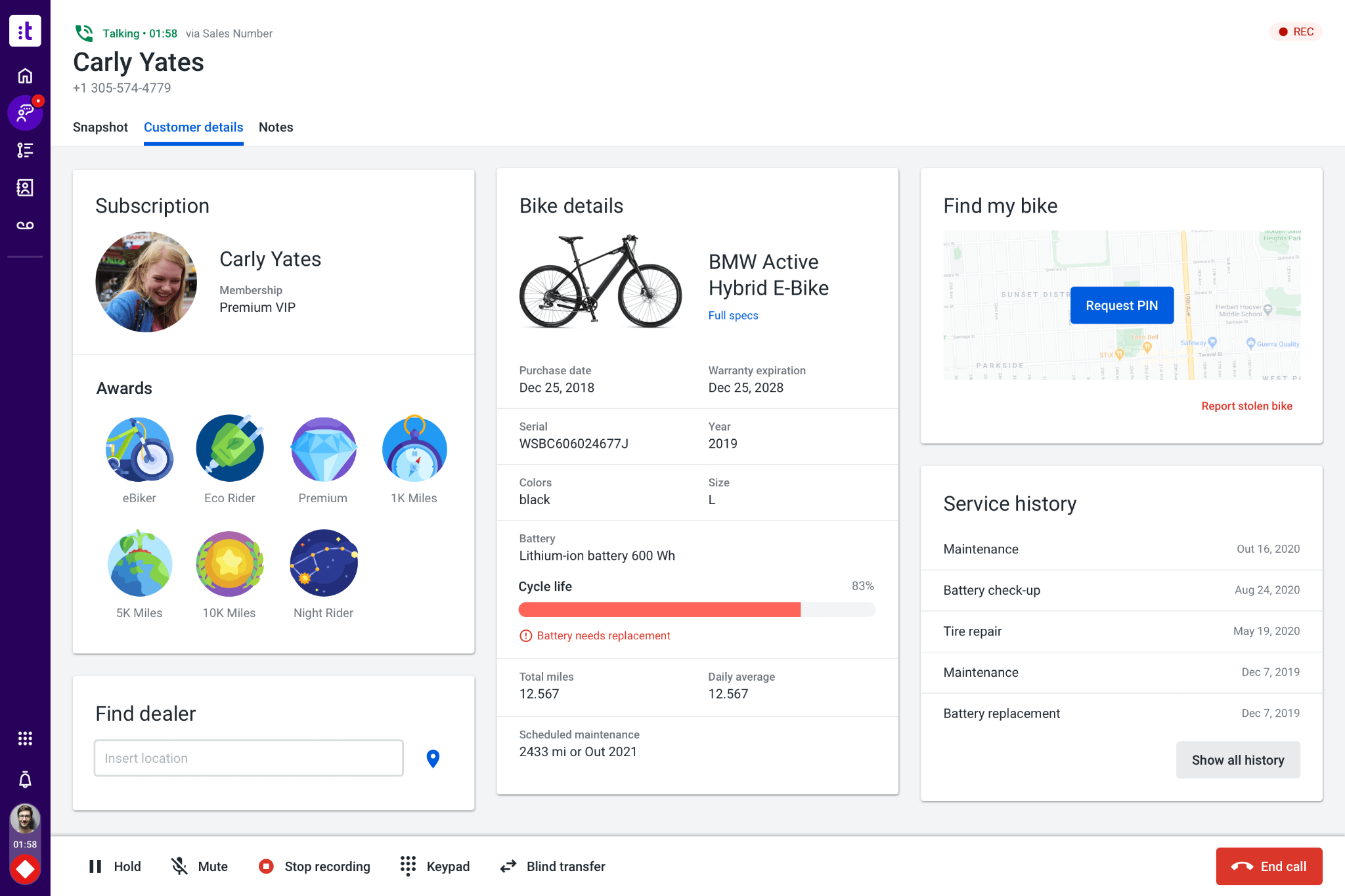
Talkdesk's IVR lets callers say what they need instead of making them work through a series of keypad options. It can also pull information from the CRM during the call, giving the system context about the caller before routing them to the right place. This combination of voice input and customer data makes routing feel more responsive than a traditional touch-tone menu.
Key Features
Studio routing designer: Publish call flows by dragging components onto a canvas.
Voice IVR keyword routing: Match what the caller says to a route so they skip the keypad.
Mid-flow CRM data dips: Pull the customer's record into the flow and branch on it
Prebuilt connectors: Link Salesforce, Microsoft Dynamics and Zendesk without a project
Pricing
Digital Essentials at $85, Voice Essentials at $105, Elite (omnichannel plus WFM) at $165, and Industry Experience Clouds at $225. All plans billed per user per month
A free Express plan exists for US/Canada small businesses under 50 employees, with 25 licenses and $100 credit
Rating
G2 rating: 4.4 out of 5 (around 2,586 reviews)
Pros
Data dips let a flow personalize itself without caller input
Built-in IVR and smart queues cut down manual routing work
Reliable call performance even during peak volume
Highly configurable across simple setups and complex global operations
Cons
Working with variables or custom flow components requires deep platform knowledge
Frequent dropped calls, one-way audio, and disruptive technical glitches
Admin interface is cluttered with AI features scattered across panels
Best for: Contact centers wanting a low-code IVR that routes on caller speech and live CRM data
6. Twilio
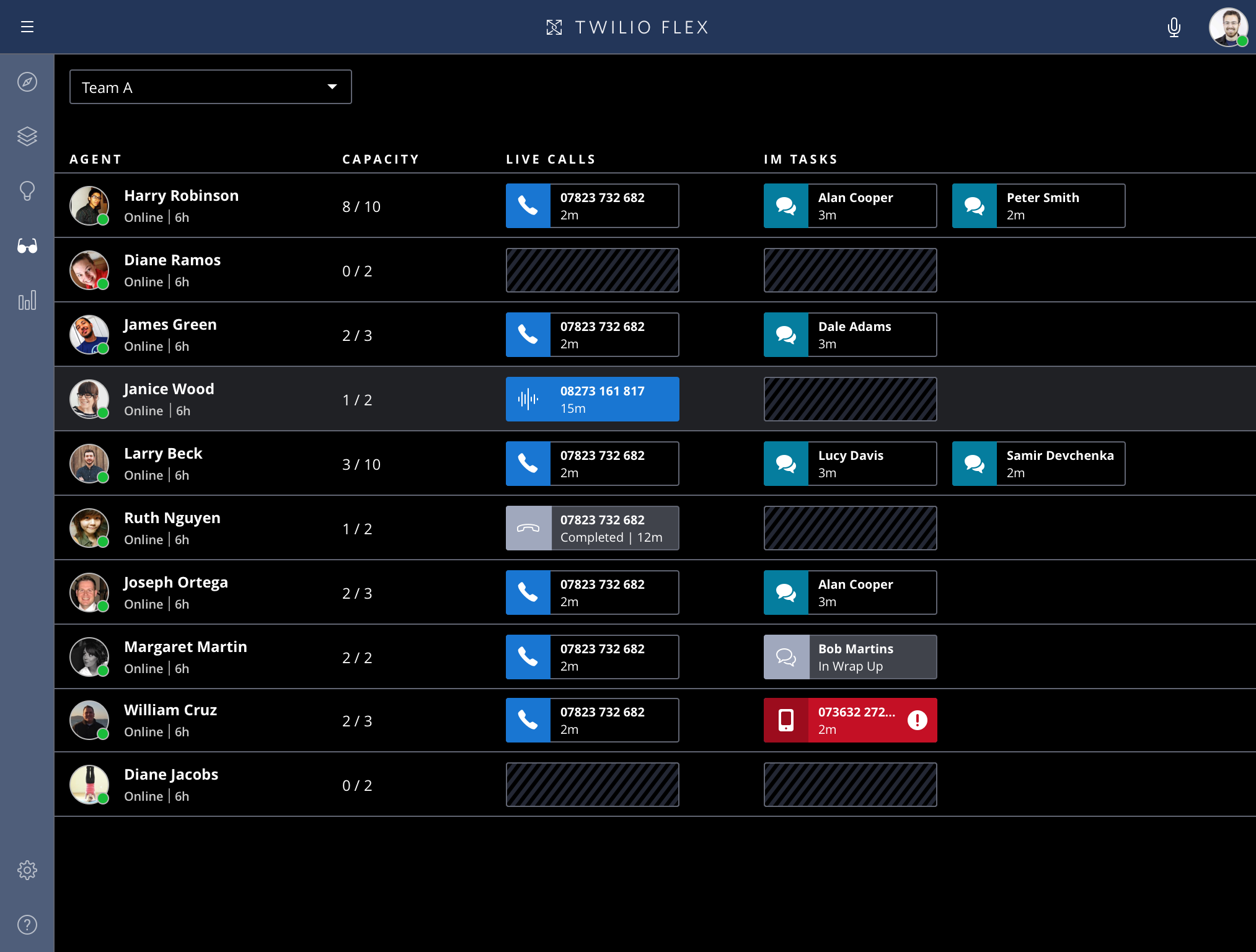
Twilio provides the phone infrastructure behind an IVR, along with the tools teams need to build and customize the experience themselves. Businesses can keep things simple with a basic automated greeting or build a more advanced self-service menu tailored to their needs. This makes Twilio a good fit for teams that want more control over how their phone system works.
Key Features
Studio visual builder: Assemble flows by dragging widgets, then drop into code where needed
Global telephony reach: Provision numbers and route calls across 100+ countries from one account
Speech recognition on demand: Add spoken input with the Gather widget and pay per use
Full telephony control: Own the numbers, the routing and the call handling directly
Pricing
Twilio prices entirely by usage, with no seats or plans
Voice costs $0.0085 per minute received and $0.014 to make a call. Studio flows run $0.0025 per execution, and speech-driven Conversation Relay starts at $0.07 per minute. Volume discounts kick in as usage scales
Rating
G2 rating: 4.2 out of 5 (around 1917 reviews)
Pros
An automated call that never reaches an agent costs cents because you pay by the minute
You can build what no packaged product offers, since you're at the infrastructure layer
Example flows in Studio cover most of what's needed to start building
Up-to-date API documentation speeds up building flows
Cons
Every capability is a separate line item, and small per-use fees add up at volume
Nothing here is turnkey, so a team without engineers stalls on the first custom need. Callers ships that logic no-code from day one
Configuring advanced IVR and multichannel workflows can get complex for smaller teams
Best for: Development teams wanting full code-level control over IVR logic and pay-as-you-go telephony costs.
7. RingCentral - RingEX
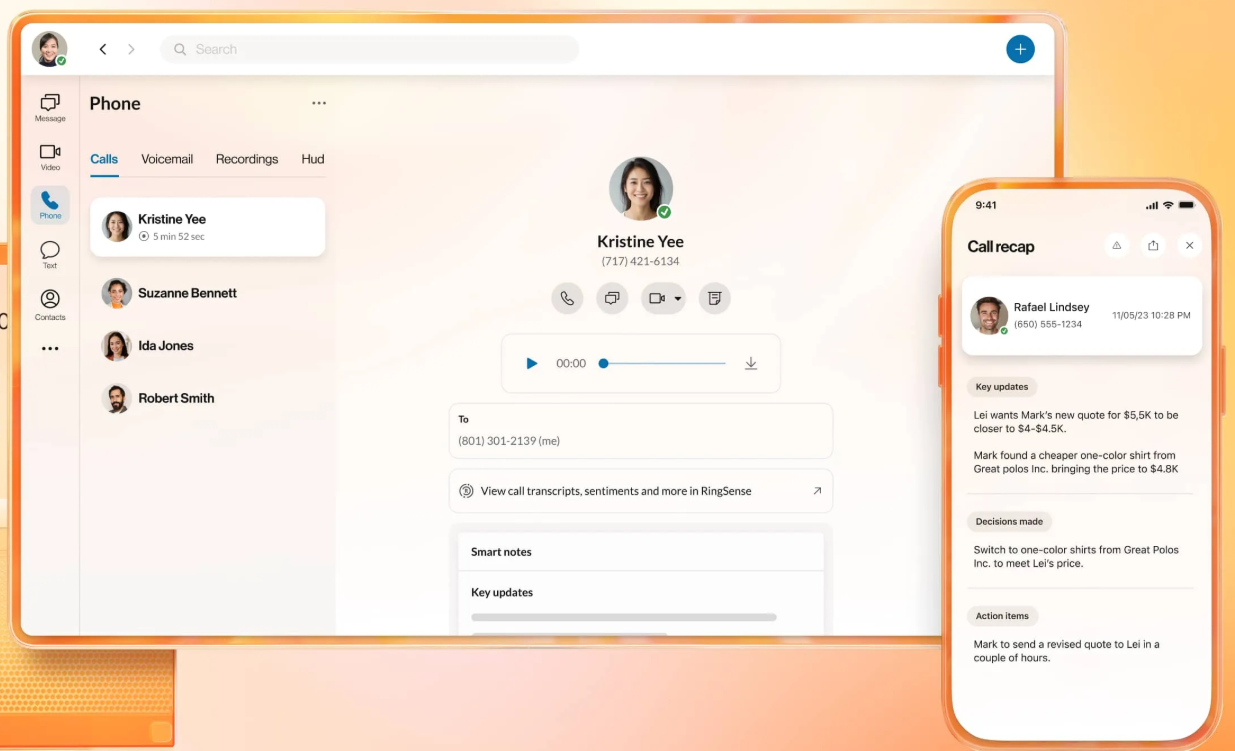
RingEX gives businesses both traditional and conversational IVR options within the same phone system. Callers can use a familiar press-and-select menu, while those who prefer to speak naturally can interact with a conversational layer that can handle tasks such as scheduling and follow-ups. Teams can move from a basic menu to a more conversational experience without changing phone systems or bringing in another vendor.
Key Features
Visual IVR editor: Build nested, multi-level menus with a drag-and-drop flow builder, no developer needed
AI Receptionist: Answers and routes calls conversationally instead of forcing callers through a keypad menu
Appointment booking: Let the AI receptionist put a time in the calendar during the call
Lead capture with SMS follow-up: Collect caller details and send the follow-up text automatically
Pricing
RingEX runs three per-user monthly tiers:
Core at $20, Advanced at $25, and Ultra at $35, all cheaper with annual billing
AI Receptionist is a separate add-on starting at $39, layering onto any RingEX plan. Other add-ons include Conversational Intelligence and SMS/Call Queue boosters. Custom bundles available via sales
Rating
G2 Rating for RingEX: 4.2 out of 5 (around 1,436 reviews)
Pros
Duplicating settings or queues makes setup almost instant
Direct dials, extensions, and IVR prompts are strong for the price
Feature-rich platform that centralizes calls, texts, video, and fax
AI-powered call summaries and transcriptions that save time
Cons
Overflow queues ring everyone in a group, not just members logged in
Setting up campaign-specific IVR routing can be confusing at first
Retrieving archived call recordings older than 90 days is a manual process
Best for: Growing businesses wanting a free multi-level IVR now with room to add conversational AI later.
8. Nextiva
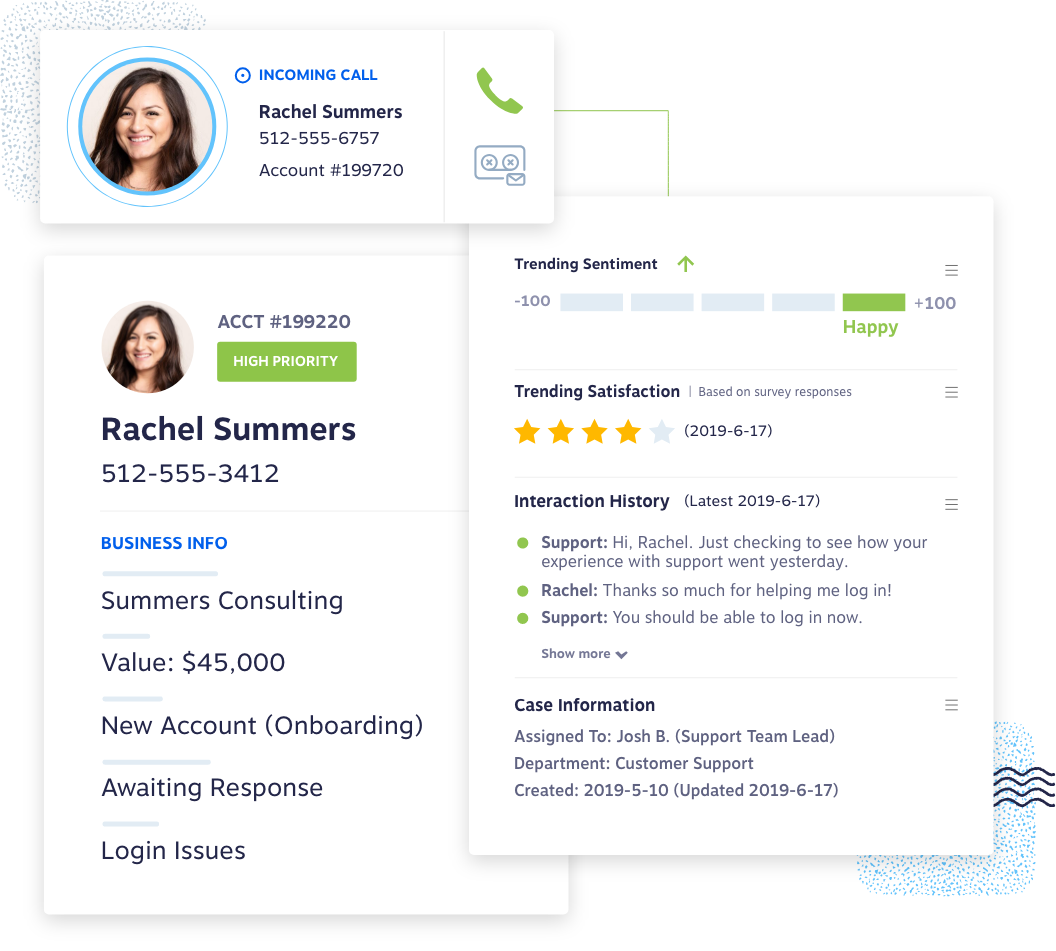
Nextiva's IVR uses voice input to understand what callers need, rather than making them work through a long list of numbered options. It can also check caller information before routing the call, giving the system some context about who is calling and what they need. Operations teams can update business hours, holiday schedules, and routing rules themselves without having to rely on IT for every change.
Key Features
Visual workflow builder: Set hours, holidays and routing rules without raising an IT ticket
Natural language input: Let callers say what they need without working the keypad
XBert AI receptionist: Add an AI layer that handles intake, qualification and FAQ calls
Native CRM connections: Pull Salesforce and HubSpot records into the routing decision live
Pricing
Plans start at $23/user/month, with XBert AI Receptionist available as an add-on across all tiers
Rating
G2 rating: 4.5/5 (around 3,622 reviews)
Pros
CRM integrations are seamless, improving small business workflow
Comprehensive call management and detailed reporting for actionable insights
IVR setup happens in the voice portal without extra tools
Exceptional customer support that is responsive, and available 24/7
Cons
CRM integration only pops up on about 10% of calls.
The native CRM screen-pop connector requires a Windows machine to run
Native HubSpot integration only logs calls as an activity, with limited depth
Best for: Businesses wanting callers to skip the phone tree while ops teams control IVR routing without IT.
9. CloudTalk
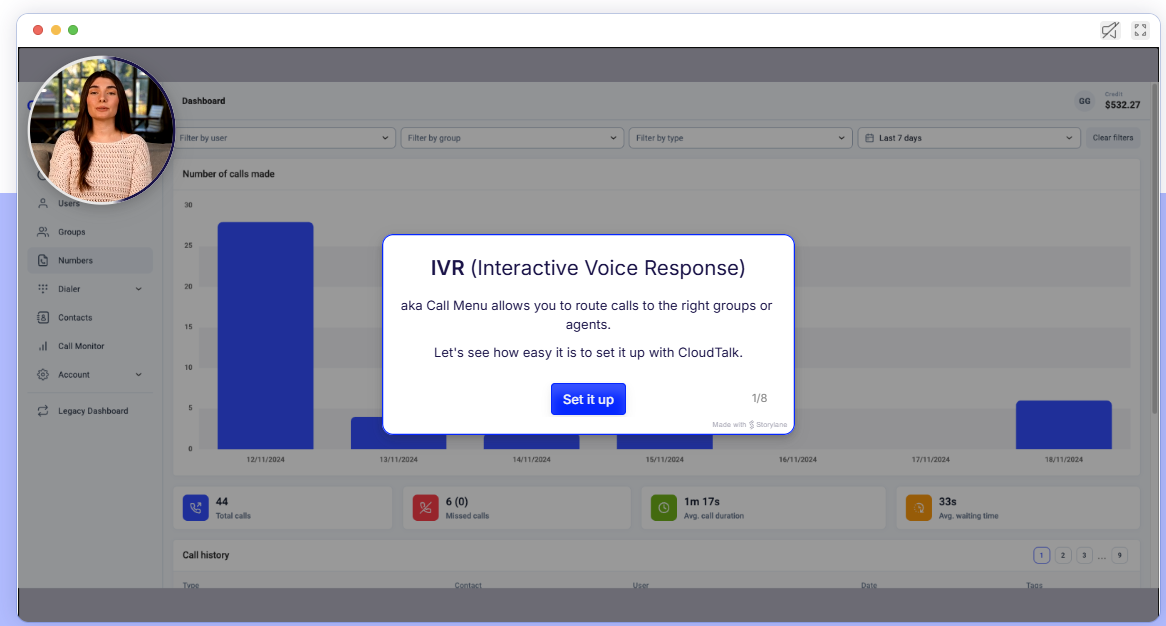
CloudTalk is a cloud-based call center platform for sales and support teams that have outgrown a basic phone system but don't need a full enterprise contact center. Its IVR uses a visual editor that puts menus, business hours, and call queues in one place, so teams can update their call flows and apply changes without much hassle. AI capabilities can be added later without having to rebuild the underlying call routing.
Key Features
Call Flow Designer: Build the routing visually, with drag-and-drop menus, business hours, and call queues on one canvas
Skill and condition routing: Send a caller to the person who can help, on rules you set
AI Voice Agent add-ons: Bolt on an AI receptionist by the minute bundle
CRM integrations: Connect HubSpot and Pipedrive so calls log themselves against the record
Pricing
CloudTalk's IVR starts at $29 per user monthly (annual billing), which includes multi-level IVR menus, the Call Flow Designer, skill and caller-based routing, text-to-speech, and analytics. Expert, at $49, adds VIP queues and call monitoring
AI Voice Agents are a separate add-on, billed per minute or in bundles
Rating
G2 rating: 4.4/5 (around 1,851 reviews)
Pros
Local numbers available in 160+ countries for global reach
All call logging, recording, and analytics in one unified view
Powerful outbound dialer suite with Smart, Power, and Parallel dialing
Seamless native CRM sync with HubSpot, Pipedrive, and Salesforce
Cons
It's built for smaller teams, so a 200-seat operation hits a reporting ceiling
No built-in way to test that call flows are working correctly
Mobile app is unreliable, especially on iOS
Best for: Growing sales and support teams wanting a fast, self-serve IVR without enterprise rollout timelines.
10. Aircall
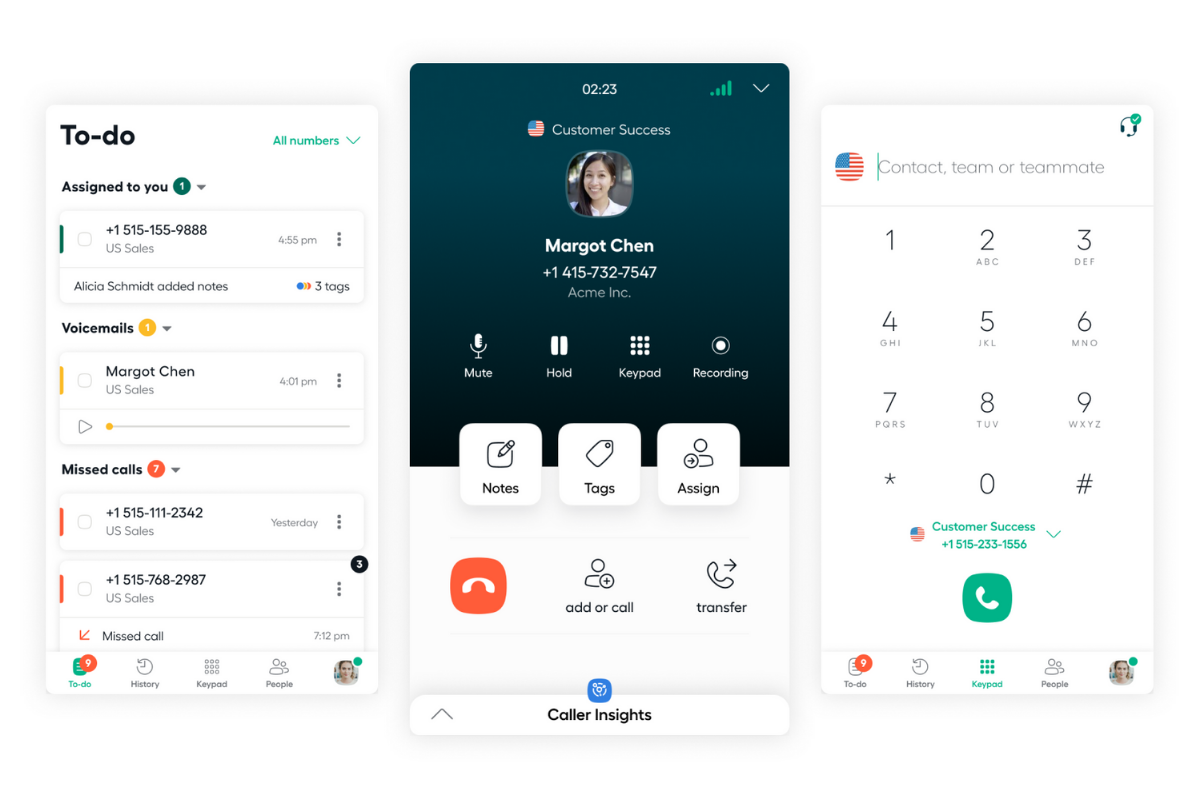
Aircall greets callers with a menu built using a drag-and-drop editor. From there, calls can be routed to a queue or a scheduled callback. With more than 250 integrations, Aircall has built its phone system around connecting with the tools teams already use. Its IVR plugs directly into the CRM a sales or support team relies on, keeping the menu straightforward while leaving plenty of room to customize what happens behind the scenes.
Key Features
Smartflow visual IVR builder: Design multi-level menus visually, no code or separate tool required
Salesforce CTI on Professional: Let reps dial and log calls from inside Salesforce
Power Dialer and voicemail drop: Work a call list fast and leave a recorded message in one click
Live call monitoring: Whisper or barge into a call in progress without the caller knowing
Pricing
Aircall runs three per-license monthly tiers:
Essentials (from $40, IVR included, 3-license minimum), Professional (from $70, adds Salesforce CTI, Power Dialer, smart routing), and custom-quoted Enterprise (25-license minimum)
AI Voice Agent minutes, AI Assist, and Analytics+ are priced as separate add-ons on top of any tier
Rating
G2 rating: 4.4 out of 5 (around 1,644 reviews)
Pros
250+ integrations cover the usual CRM and helpdesk stack without custom work
Designing time-of-day call rules needs no engineering help
AI analytics give supervisors visibility into call-routing trends
Strong call recording and transcription features
Cons
Calls occasionally misroute on numbers handling 5,000+ calls a day
It is confusing to know which number routes to which time-based rule
Aggressive auto-renewal with charges continuing after cancellation
Best for: Small sales and support teams wanting IVR from day one, without upgrading tiers.
How to Choose the Best IVR Software
Choosing the right IVR platform comes down to six factors:
Map your call volume and complexity first: Thousands of daily calls need more routing depth than a few hundred, and the wrong fit can drive up costs quickly
Check how deep the CRM integration goes: Some platforms only log calls afterward, while others pull live customer records into the routing decision
Match the input method to your callers: Tech-savvy audiences may prefer natural-language IVR, while others still expect a familiar keypad menu
Confirm compliance certifications up front: This matters especially in healthcare, finance, and insurance. Callers, for example, offers HIPAA, SOC 2, and PCI DSS compliance out of the box rather than as a paid add-on
Ask how long implementation actually takes: Some IVR builds require weeks of professional services before handling a single call, making a faster rollout, like what Callers offers, more valuable
Test the pricing model against your real call pattern: Per-seat pricing can hurt low-agent, high-volume operations, while usage-based billing can become unpredictable as call volume grows
FAQs
What's the Difference Between IVR and an AI Voice Agent?
IVR routes callers through fixed menus and touch-tone choices. AI voice agents skip the menu, using natural language to understand intent and complete tasks in real conversation. IVR typically resolves 20 to 40% of calls on its own, while AI voice agents push that closer to 50 to 75%.
What’s the Difference Between an Auto-Attendant, IVR, and ACD?
An auto-attendant just answers and routes calls off a menu, like a digital receptionist. IVR adds data-driven self-service, pulling CRM data to handle things like balance checks or payments. ACD is the queue engine behind it, distributing calls to agents by skill and availability.
What Types of IVR Are There?
Touch-tone IVR has callers press keys through a menu.
Directed dialogue IVR asks specific questions and listens for short spoken answers, still on a scripted path.
Conversational IVR uses natural language processing to let callers explain what they need in their own words, which is where IVR stops and AI voice agents like Callers take over.
Some systems blend all three.
Should I Build My Own IVR or Buy One?
Build your own only if calling logic is core to your product and you need complete control. A mid-size setup with 50–150 agents can cost $40,000 to $150,000, plus ongoing engineering work. Buying gets you up and running faster and can cost a fraction of that in year one with a turnkey alternative such as Callers.
Can I Keep My Current Phone System and Still Upgrade the IVR?
Usually yes. Most platforms layer onto your existing numbers, so the real question is whether the new system supports your number range. Full migrations off legacy systems like Avaya can take a year or more. API-based overlays connecting to your current setup often go live in 4 to 8 weeks instead.
Replace Your IVR with Callers
Ten platforms, ten different ways to handle a call, and no single choice fits every team. The right pick depends on call volume, CRM depth, and how much your customers want to talk instead of press buttons.
If the goal is to resolve more calls instead of simply routing them, Callers is built for that. It lets customers explain what they need in plain language, pulls live account data during the call, and passes the full conversation context to an agent when human help is needed. For B2C teams managing calls, texts, and chat, that can mean fewer transfers and quicker resolutions.
Ready to see it on your own call volume? Book a demo with Callers today.