:quality(80))
:quality(80))
:quality(80))

8 Best PolyAI Alternatives in 2026, Ranked for Voice and CX Teams
:quality(80))
:quality(80))
Quick Summary
Callers is the best PolyAI alternative for mid-market teams running inbound and outbound across channels. Other platforms include NiCE Cognigy, Kore.ai, Parloa, Sierra, Retell AI, Bland AI, and Decagon, each suited to different needs around scale, governance, or infrastructure control.
Here is a quick glance at each platform:
Tool | Best For | Main Trade-Off | Starting Price |
Callers (Best Overall) | Mid-market B2C teams running inbound + outbound across calls, text, email | Positioning still evolving | Custom (demo) |
NiCE Cognigy | Enterprise contact centers on Genesys, Avaya, or NiCE | Thin analytics, no ready-made templates | Custom (demo) |
Kore.ai | Enterprises needing governed AI across CX, HR, IT | Bills in 15-min blocks, docs hard to navigate | From $0.20/15-min session |
Parloa | Large regulated, multilingual enterprises | 700-900ms latency, no voice cloning | Custom (demo) |
Sierra | Fortune 500, multi-channel, multi-week outcomes | Edits often route through Sierra's team | Outcome-based (custom) |
Retell AI | Engineering teams wanting full infrastructure control | Add-ons push costs up fast | From $0.07/min |
Bland AI | Engineering-led teams wanting full model ownership | Real latency runs well above claims | From $0.14/min |
Decagon | Enterprises needing agents that complete real actions | Agent Assist limited to Zendesk only | Custom (demo) |
Looking for the Right PolyAI Alternative for Your Team?
PolyAI works well for some teams, but plenty of CX and voice leaders outgrow it or need something that fits differently. Maybe the pricing feels steep for your call volume, or the setup takes longer than your team can afford.
Picking a voice AI platform is a real decision with real stakes for your customers and your budget. We looked closely at the tools worth considering this year.
In this Callers article, we walk through eight solid PolyAI alternatives and what makes each one worth a look.
But first…
Why Listen to Us?
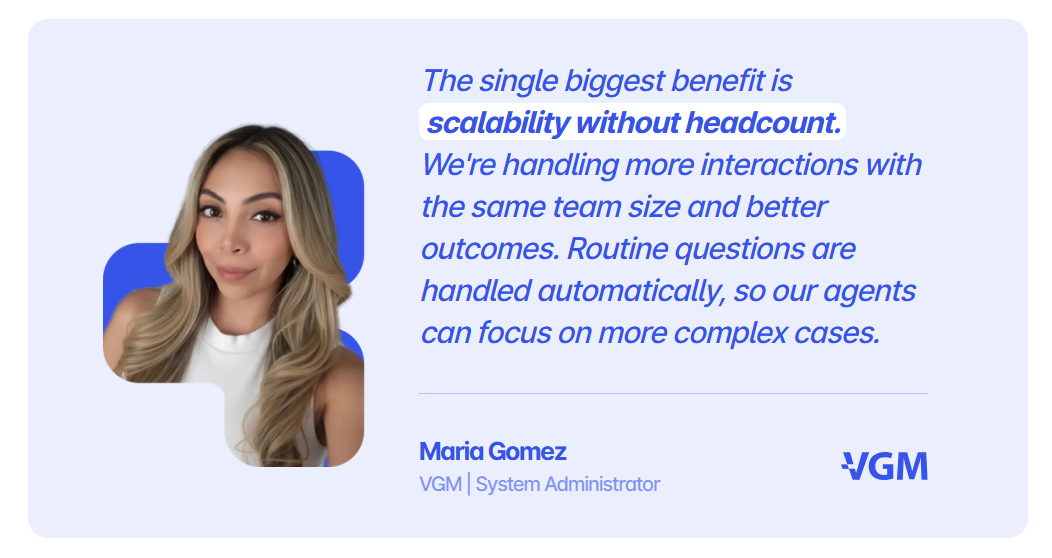
Callers builds AI voice and chat systems for brands like DoorDash, Einride, PadSplit, and VGM. Our platform has cut call center load by 65% and boosted outreach tenfold for clients in lending, real estate, and logistics. Working inside high-volume CX operations daily gives us a grounded view of what actually works and insight into how PolyAI alternatives genuinely compare.
What Is PolyAI?
PolyAI builds AI voice agents that answer inbound calls and hold natural, multi-turn conversations with customers. The assistants handle interruptions, topic changes, and follow-up questions without breaking the flow of a call.
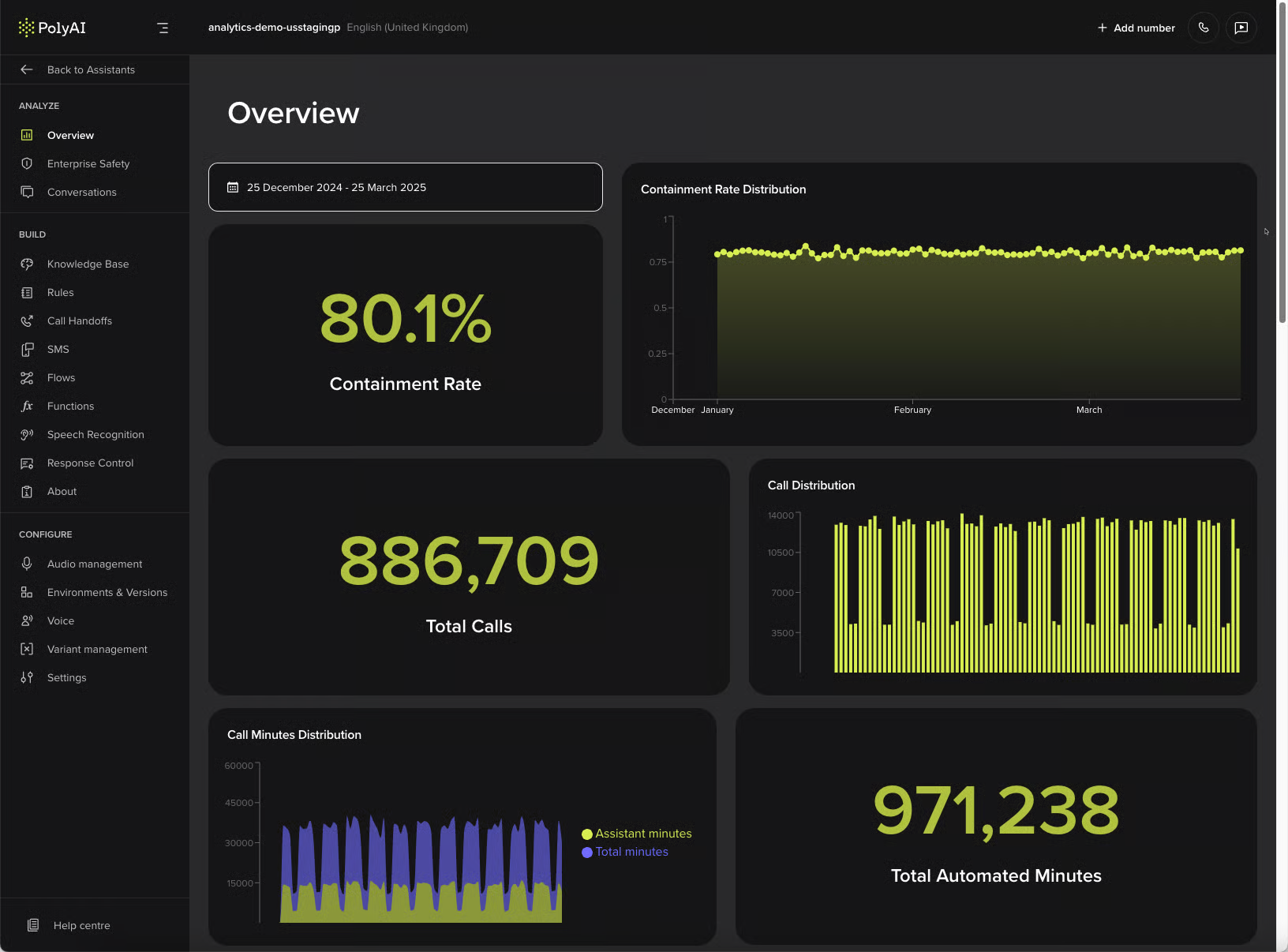
The platform is mostly built for high-volume contact centers, with results in industries like hospitality, healthcare, banking, and retail. Common use cases include reservations, billing inquiries, order status checks, and account management. PolyAI's assistants integrate with existing telephony and CRM systems and support multilingual conversations across dozens of languages.
Voice quality is the platform's main strength. The agents are known for sounding human, handling accents and background noise, and maintaining context across long conversations. This has made PolyAI a recognized name among enterprises that treat phone support as a core part of the customer experience.
Why Seek an Alternative to PolyAI?
Mostly Focused on Voice Calls
PolyAI is built primarily around voice, even though it supports other channels. Customers, however, move between calls, texts, and emails without thinking about the platform behind them. If digital channels carry significant volume, that voice-first approach can start to feel limiting.
Outbound Exists, But It’s Limited
PolyAI does support outbound calls for things like reminders and dispatch, so it’s not strictly inbound-only. The gap is in the campaign tooling around it. Things like sequencing, retries, and tracking prior attempts are fairly limited. Reviews often suggest outbound is weaker than inbound. Platforms like Callers treat these workflows as core functionality rather than extras.
Analytics and Reporting is Surface-Level
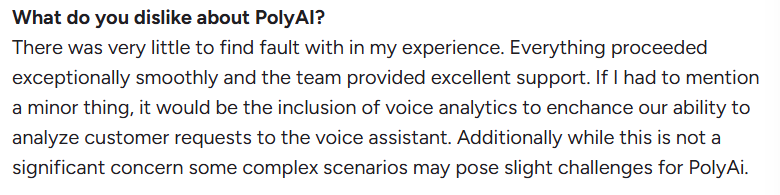
Reporting in PolyAI shows what happened on a call, but not always why. Independent feedback often describes the analytics as fairly basic compared to newer tools. For teams focused on improving conversion, surface metrics aren’t enough. You need to understand where conversations drop off.
Built for Enterprise Buying Cycles
PolyAI is clearly designed for large contact centers, and that shows in its sales process. Pricing is demo-based, and case studies focus on enterprise customers. That works well for organizations with long procurement cycles. Smaller CX teams that want faster deployment and quicker results may prefer a more lightweight approach.
The 8 Top PolyAI Alternatives
1. Callers
Callers is built for B2C companies handling high volumes of calls and messages, where speed and consistency directly affect revenue. Companies such as DoorDash, Einride, and PadSplit use it to manage customer conversations.
PolyAI has spent years refining the voice experience, and that focus shows. Callers takes a broader approach, focusing on what happens when that same customer follows up by text or email about the same issue.
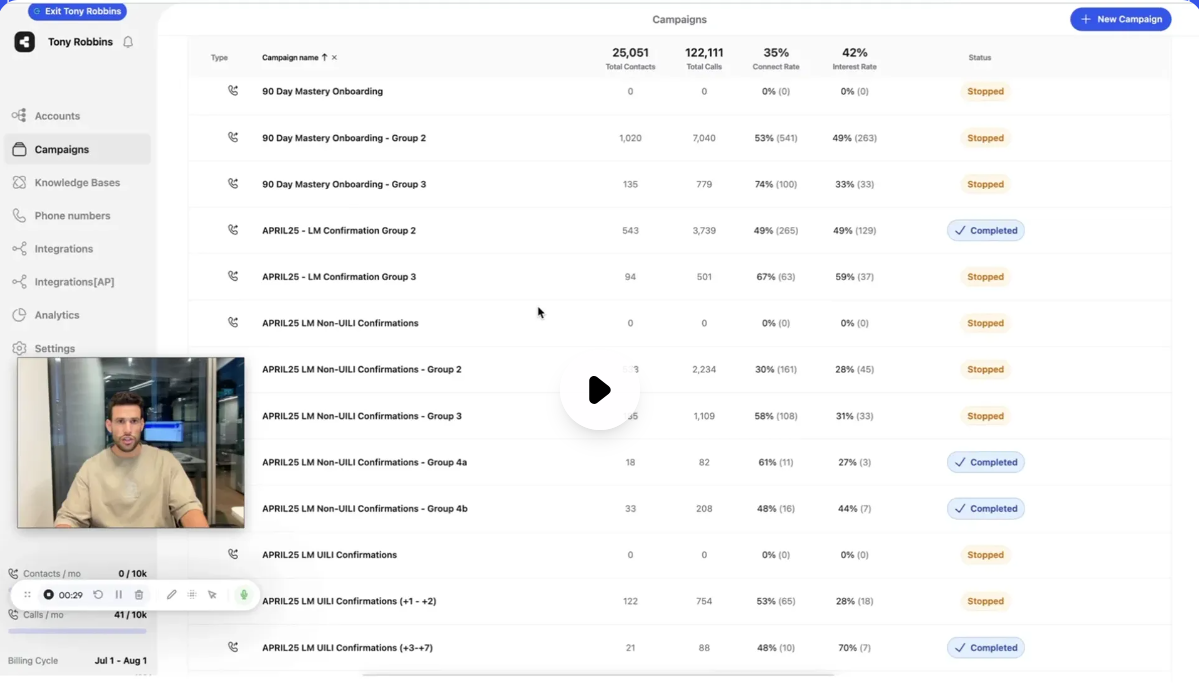
Instead of treating each channel separately, Callers keeps the conversation connected across them. Teams can also build and adjust these experiences without relying on developers. For mid-market CX and growth teams running inbound and outbound campaigns, that means ideas can move from the planning stage to live conversations much faster.
Key Features
Intelligent Campaign Builder: Set up outbound sequences that retry on your own rules and act on what happened in the call, with no code
One-brain context layer: Carry the full history across calls, texts, and email so nobody repeats themselves
No-code flow builder: Edit scripts and routing with drag-and-drop and AI-assisted scripting
Native CRM integrations: Push call outcomes into HubSpot, Zendesk, GoHighLevel, and 600 more tools
Mid-Call Language Switching: Switch language part-way through a call, with no transfer and no break in tone
AI-to-human routing: Hand a live call to an agent with the full context attached
AI-Powered Conversation Analytics: See where conversations break down and what's driving drop-off, so fixes target the actual leak.
Dedicated CSM and onboarding: Get a named person on every plan to build your first campaigns
Pricing
Our pricing is per minute, tiered by monthly volume, with custom enterprise plans. You have to book a demo to get a number
Pros
Dedicated Customer Success Managers are included on every plan
Operators can build and edit conversation flows without developers
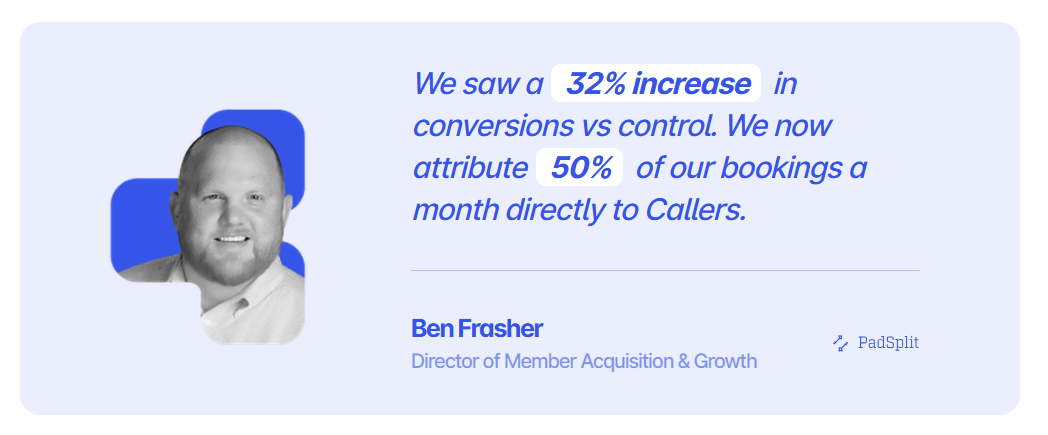
One platform connects calls, texts, and email with shared context
Handles 10x more outreach without proportional headcount growth
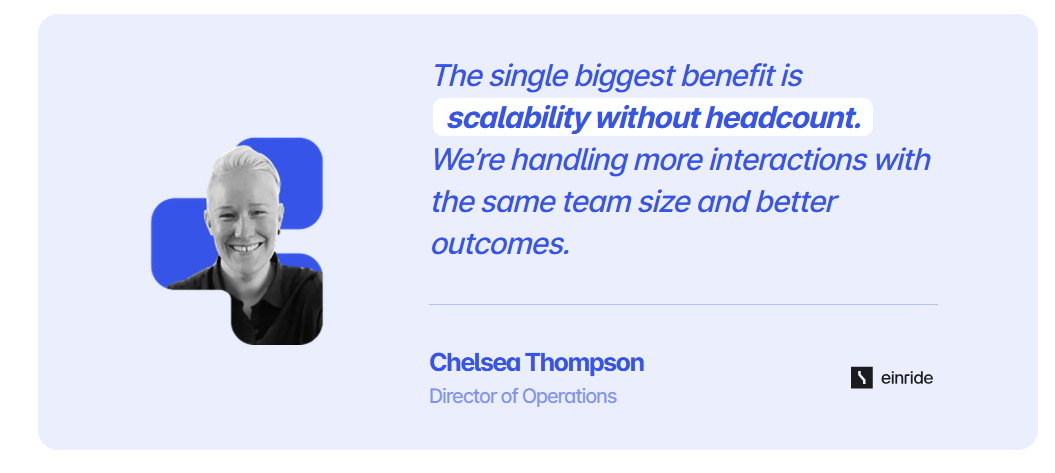
Cuts call center workload by 65% by resolving routine requests
Surfaces conversation breakdowns and suggests ways to improve results
Cons
Our messaging around category positioning is still evolving
Compliance list stops short of DORA
Best For: Mid-market B2C teams running high-volume inbound and outbound across calls, text, and email
Why Choose Callers Over PolyAI
PolyAI does a fine job on the phone call itself. Callers keeps going after the call ends, carrying the same conversation into the text or email that follows so the customer never repeats their story. Outbound gets the same treatment, with sequencing, retries, and follow-up rules built into the campaign builder rather than bolted on.
You also skip the enterprise buying cycle. Operators build and edit flows without developers, a dedicated customer success manager comes with every plan, and most teams are live in weeks.
2. NiCE Cognigy
NiCE Cognigy takes the enterprise contact center approach that PolyAI is known for and broadens it beyond voice. While PolyAI puts most of its focus on making phone conversations feel natural, NICE Cognigy brings voice, chat, and live-agent support into the same workflow.
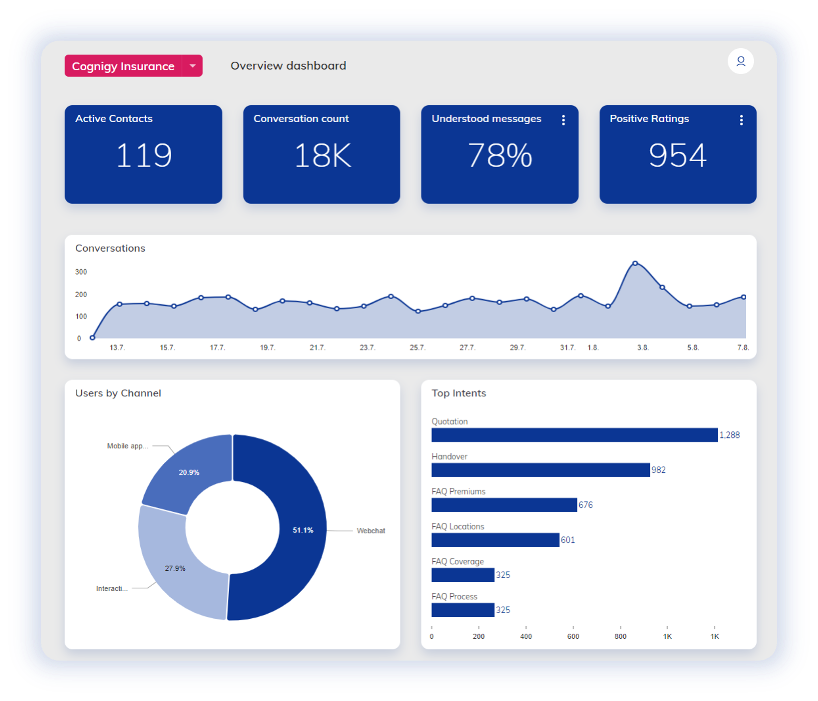
Conversation designers and engineers can work from one canvas, while agents get real-time context during escalations instead of having to catch up afterward. For contact centers already using platforms like Genesys or Avaya, that broader setup can fit into the existing environment without starting from scratch.
Key Features
AI Agent Studio: Design, test, and version voice and chat agents in one workspace
Voice Gateway: Connect agents to your phone system and pick your own speech provider
Agent Copilot: Give human agents suggested replies and summaries mid-call
Knowledge AI: Answer questions from your existing help content, without hand-building intents
Model and Speech Flexibility: Bring your own LLM, NLU, speech-to-text, and text-to-speech providers, with no vendor lock-in
Pricing
Custom, sales-led enterprise contracts tailored to specific business requirements
Rating
G2 rating: 4.6/5 (around 13 reviews), Capterra 4.8/5 (around 23 reviews)
Pros
Connects to the major contact center platforms, so your routing stays untouched
Agent Copilot supports the human agents you're keeping on live calls
You can run deterministic and agentic AI side by side in one build
Custom REST extensions unlock the platform's full potential
Support team helps troubleshoot during development quickly
Cons
Smaller customer accounts sometimes struggle to justify the platform's scale
Limited analytical options, affecting their ability to build advanced chat flows, an area Callers covers natively.
Lack of ready-made templates for building new assistants
Best For: Large enterprise contact centers already running Genesys, Avaya, or NiCE that want agentic AI layered onto existing infrastructure
Why Choose NiCE Cognigy Over PolyAI
If your contact center already runs on Genesys, Avaya, or NiCE, Cognigy slots into that routing instead of asking you to rebuild it. Voice, chat, and human escalations share one workflow, and Agent Copilot backs up the people still taking live calls.
You can also bring your own language model and speech providers, which keeps you out of the lock-in that comes with a fully managed voice service.
3. Kore.ai
Kore.ai treats calls, texts, and web chat as one connected customer experience rather than separate channels. Its agents can pull account details from a CRM during a conversation and hand complex requests to a live agent with the relevant history attached.
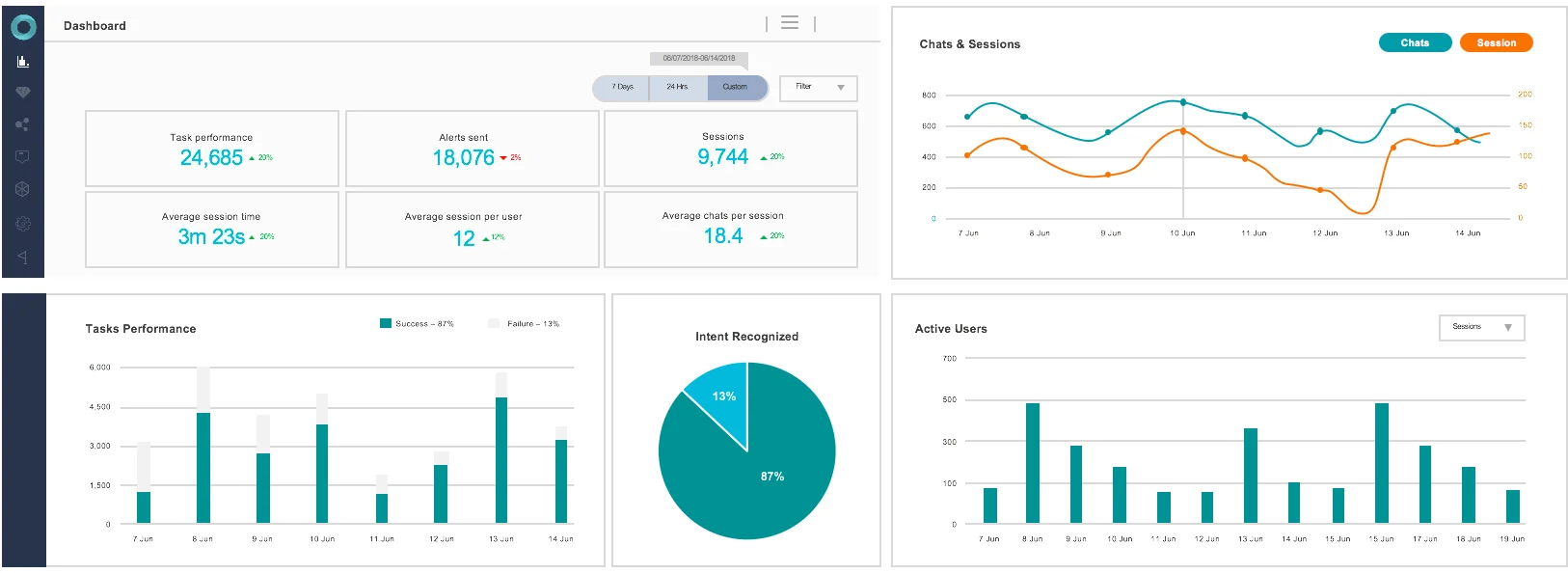
While PolyAI focuses heavily on handling individual voice conversations, Kore.ai uses specialized agents for different tasks, such as lead qualification and customer support. That gives teams more flexibility when call volumes spike, without forcing every interaction through the same workflow. For CX teams already using ticketing systems, Kore.ai can also work with the tools they have in place.
Key Features
Agent Platform (Artemis): Orchestrate multiple agents that pass work between each other
AI for Service: Automate contact center conversations across digital and voice channels
AI for Work: Answer employee requests across HR, IT, and finance
Kore.ai Marketplace: Start from pre-built agents, templates, and integrations
Agent Blueprint Language: Define and govern agent behavior in a structured, auditable format
Pricing
A pay-as-you-go tier bills roughly $0.20 per 15-minute session, with $500 in free starter credits. Enterprise contracts run custom.
Rating
G2 rating: 4.6/5 (around 505 reviews).
Pros
Covers customer-facing and employee-facing automation on one platform
Pre-built industry applications shorten the first build in banking and healthcare
Strong ability to handle complex, multi-part customer queries
Support is described as responsive and quick to assist
Comes with robust NLP-rich features for building bots
Cons
Billing runs on 15-minute sessions, so a call just over that mark bills as two sessions. Callers bills per minute instead
Platform documentation is difficult to navigate most times
Voice interactions in the Agent Platform can show a few seconds of latency
Best For: Enterprises needing governed, auditable AI agents across contact center, HR, IT, and compliance-heavy departments
Why Choose Kore.ai Over PolyAI
Kore.ai lets you run specialized agents for different jobs, such as lead qualification and support, and hand work between them, where PolyAI centers on the individual voice conversation. The same platform covers employee-facing HR and IT requests, so one vendor can serve both sides of the business.
The pay-as-you-go tier with $500 in starter credits also means you can test real conversations before you sign anything, which PolyAI's demo-based process doesn't offer.
4. Parloa
Parloa puts agents through tough test runs before they ever handle a real customer. One model acts as the caller while another runs the agent, creating thousands of simulated conversations to expose problems early. PolyAI improves its voice through years of real-world deployments, while Parloa brings a similar learning process forward by testing agents before they go live.
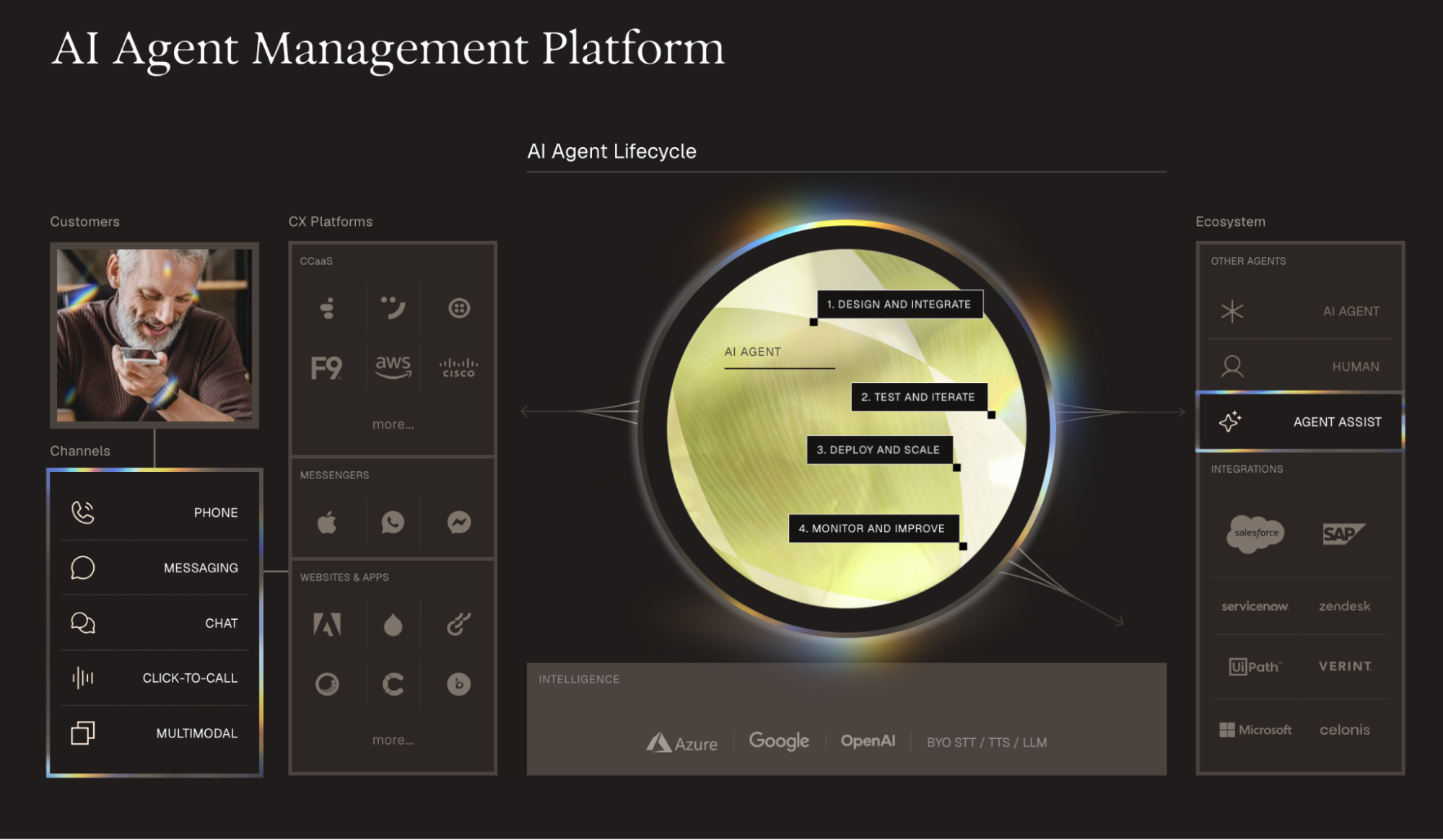
Once deployed, call transcripts help identify what needs fixing so the agent can keep improving as it handles more conversations.
Key Features
Simulation testing: Run agents against simulated conversations before they take live calls
Tuning on live traffic: Keep adjusting an agent on what its own conversations show once it's handling calls
Multilingual agents: Serve customers in over 130 languages, including regional accents
Compliance coverage: Meet ISO 27001, SOC 2, PCI DSS, HIPAA, and DORA requirements
Enterprise integrations: Connect natively with Genesys, NICE, Salesforce, and SAP out of the box
Pricing
Parloa doesn't publish pricing, it's fully custom quote-based
Rating
G2 rating: 4.5/5 (around 27 reviews), Gartner Peer Insights 4.5/5 (around 48 reviews)
Pros
Over 130 languages, which suits teams serving several European markets at once
Compliance includes DORA, which matters for EU financial services
Agents run on version-controlled infrastructure, so changes can be rolled back like code
Teams can pull up failed or escalated conversations directly to diagnose what went wrong
Enterprise customers cite deep integrations into existing CRM and CCaaS systems
Cons
Voice response latency runs 700 to 900 milliseconds, noticeable in multi-turn calls
Workflows beyond the basics still need scripting, despite the platform's low-code label
There's no voice cloning, so branded voice customization is limited to tone and speed
Best For: Large regulated enterprises running high-volume, multilingual contact centers that need rigorous pre-launch testing
Why Choose Parloa Over PolyAI
Parloa proves an agent out before it takes a live call, running thousands of simulated conversations to expose broken paths early. Once live, every change sits in version control, so a bad update rolls back like code.
For regulated European operations the fit is stronger too, with more than 130 languages and DORA on the compliance list alongside SOC 2, PCI DSS, and HIPAA.
5. Sierra
Sierra is built to handle the whole customer journey, not just a single phone call. A customer might text about a claim on Monday, call back on Wednesday, then email a specialist the following week. Sierra treats those interactions as part of the same job, rather than three separate tickets, something a phone-first agent like PolyAI isn't designed to do.
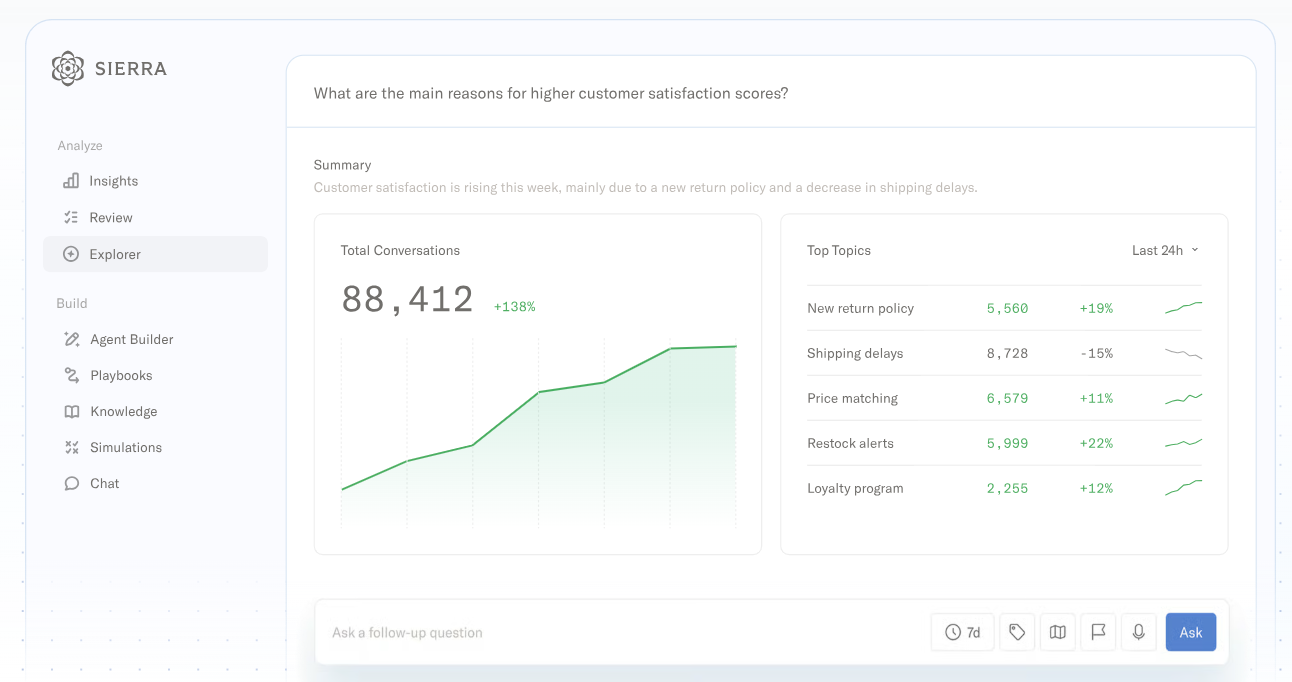
And when the call ends, the work doesn't stop. Sierra keeps track of what still needs to happen and can take the next step. That's especially useful for things like loan approvals, insurance claims, and specialist referrals, where resolving an issue can take days or weeks.
Key Features
Ghostwriter: Turn plain-English goals, SOPs, and call recordings into a working agent
Agent Data Platform: Carry each customer's history across conversations and channels
Insights: Track agent performance with monitors, experiments, and conversation exploration
Multi-channel deployment: Run one agent across chat, SMS, WhatsApp, email, voice, and ChatGPT
Horizon: Pursue a single outcome across days or months through many conversations and channels
Pricing
The platform is outcome-based. You pay when the AI achieves a predefined successful outcome such as a resolved conversation, saved cancellation, upsell, or cross-sell. Exact figures are not stated
Rating
G2 rating: 4.4/5 (around 89 reviews)
Pros
Outcome-based pricing ties your spend to resolved conversations
The interface clean and easy to navigate
Onboarding is described as well-structured, helping teams see value quickly
CRM integrations pull in real customer context automatically
Guardrails and supervision build confidence in regulated settings
Cons
The platform can run slow at times, with occasional bugs reported
Editing agent logic or prompts often requires contacting Sierra's own team, something Callers keeps in-house
Zendesk, Intercom, and Salesforce connect only through APIs, without native app installs
Best For: Fortune 500 enterprises automating outcomes that span multiple conversations, channels, and weeks to resolve
Why Choose Sierra Over PolyAI
Sierra is built for issues that take days or weeks to close, such as claims, loan approvals, and specialist referrals. It tracks what still needs to happen after a call ends and pursues that outcome across text, email, voice, and chat, which a phone-first agent isn't designed to do.
Pricing follows the same logic. You pay when the AI reaches a defined outcome, so spend tracks resolved conversations rather than minutes on the line.
6. Retell AI
Retell AI gives development teams the building blocks to create and customize voice agents themselves. Developers can use a visual canvas for everyday call logic, then jump into code when they need something more custom. They can make those changes themselves instead of relying on another team, as can happen with PolyAI's more managed deployment model.
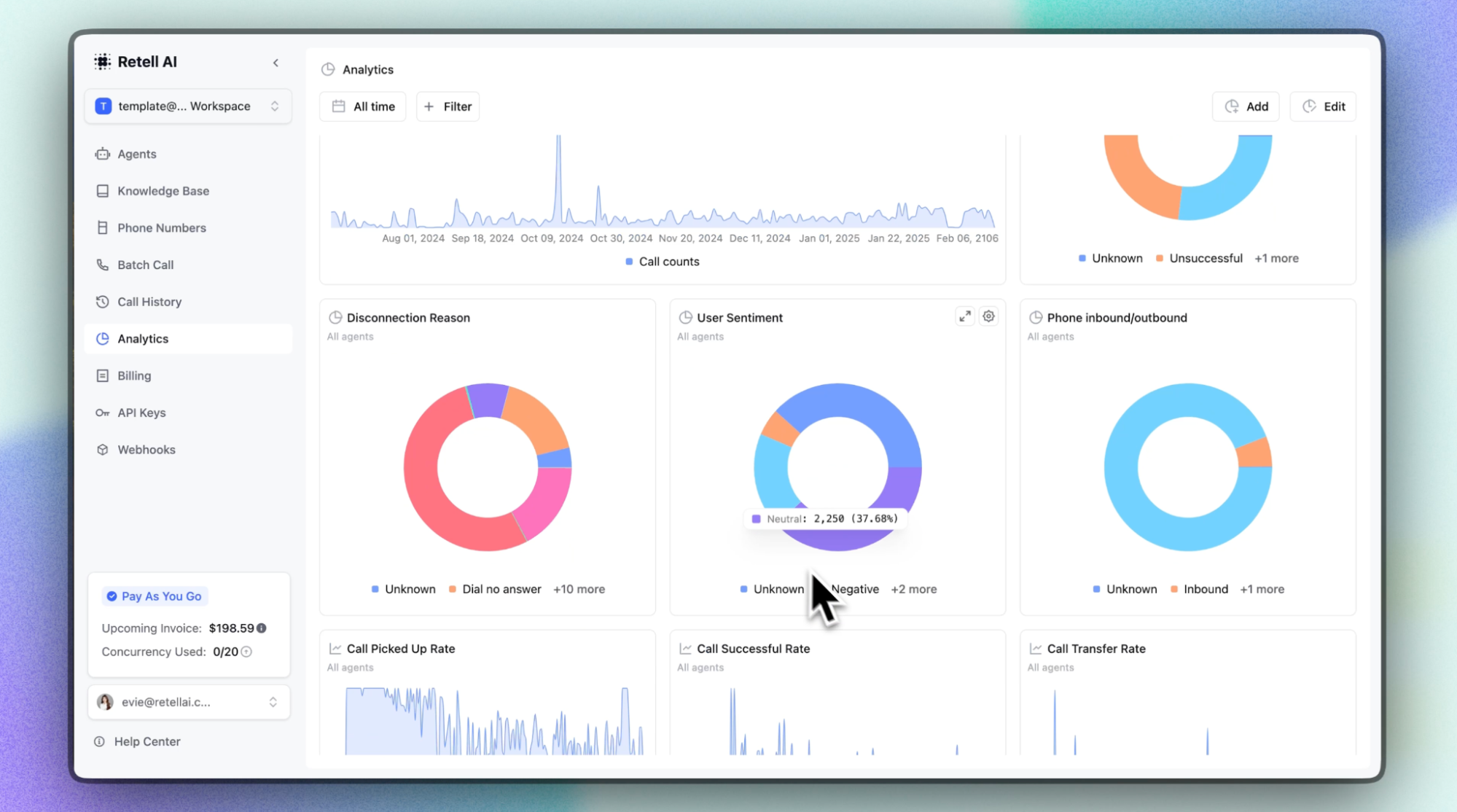
Teams can also choose their voice engine, language model, and telephony provider separately, making it easier to swap components when a better or more cost-effective option comes along. Before an agent handles a real customer, teams can test it with simulated calls to catch problems early.
Key Features
Published per-minute rates: Model your cost per call before you speak to anyone
Drag-and-drop builder with API: Build flows visually, then extend them in code
Component-level pricing: Swap models, voices, or telephony to cut the per-minute cost
Concurrency controls: Run 20 concurrent calls free, then add lines at $8 a month
Built-in testing and QA: Simulate calls in text or audio before an agent goes live
Pricing
Retell publishes usage-based pricing from $0.07 to $0.31 per minute, with $10 in free credits, no flat base fee, and custom Enterprise pricing
Rating
G2 rating: 4.8/5 (around 2,638 reviews)
Pros
Automated appointment booking syncing directly to calendars
Detailed analytics and rapid iteration as standout strengths
Well-documented APIs help developers build custom integrations with confidence
Reliability holds up well even as call volume scales up
Conversations can be customized per individual caller for a better fit
Cons
Costs climb once you add knowledge bases, PII removal, and branded calling
Limited voice and transcriber options for international use
Retell is GDPR certified but hosts data as a US-based company
Best For: Engineering teams that want full infrastructure control over voice agents, from models to telephony.
Why Choose Retell AI Over PolyAI
Retell publishes its per-minute rates, so you can model the cost of a call before you talk to anyone. PolyAI quotes through a demo.
Your developers also keep control of the build. They pick the voice engine, language model, and telephony provider separately, swap any of them when a better option ships, and make changes in-house rather than through a managed deployment.
7. Bland AI
Bland AI is built on infrastructure it owns outright, speech recognition, language model, and voice generation trained and run in-house rather than assembled from outside vendors. That ownership gives an engineering team visibility into every layer of a call, work that PolyAI's managed, phone-first service typically handles behind the scenes on a customer's behalf.
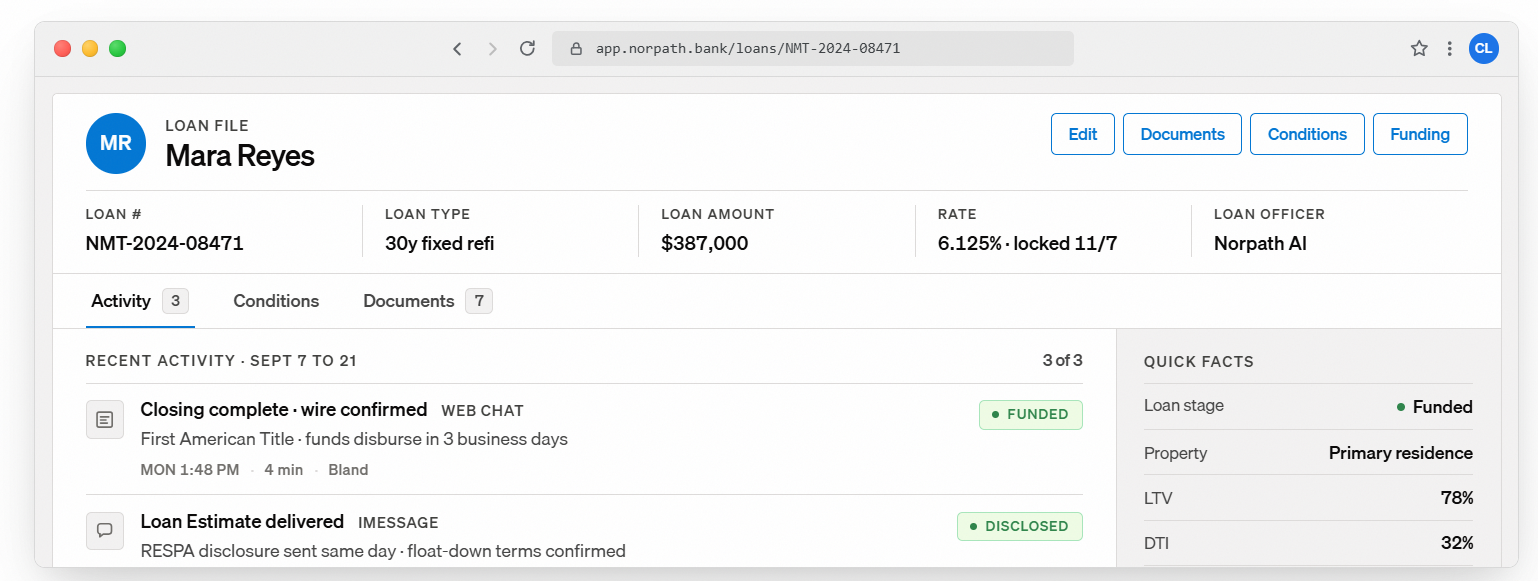
A single agent built here can answer a call, follow up by text, and pick the same thread back up when a customer messages later, treating every channel as one ongoing conversation instead of three separate systems. Every conversation path gets mapped and stress tested before a real caller ever reaches it, catching broken logic while it's still cheap to fix.
Key Features
Conversational Pathways: A visual, node-based builder for mapping call logic, so flows can be built without writing code
Self-hosted voice stack: Speech recognition, language model, and voice generation all run on Bland's own infrastructure, not third-party APIs
Unified omnichannel memory: One agent carries context across voice, SMS, iMessage, and web chat, so no channel starts from zero
Voice cloning: Clone a custom voice from a single short audio sample, no fine-tuning required
Enterprise integration library: Native connections to Salesforce, HubSpot, Twilio, Genesys, Five9, and other CRM and contact center tools
Pricing
Starts at $0.14/min with no platform fee. Transfer minutes and telephony are billed separately
Bland AI uses a flat per-minute rate covering the LLM, speech-to-text, and text-to-speech, with no token charges or model pass-throughs
Rating
G2 rating: around 5.0/5 (around 11 reviews)
Pros
Self-hosted infrastructure eliminates third-party API dependency and data exposure
Implementation regularly goes live in less than 30 days for most cases
On-premise and VPC deployment options for regulated industries
Real-time guardrails enforce compliance without relying solely on prompts
Concurrency ceiling supports campaigns of 5,000 leads without queuing
Cons
Production latency often runs 700-1,500 ms despite claims of sub-400 ms
Speech recognition struggles with heavy accents or noisy environments
Advanced call flows require significant technical expertise to configure
Best For: Engineering-led teams needing full model ownership and unified messaging across voice, SMS, and chat
Why Choose Bland AI Over PolyAI
Bland owns its speech recognition, language model, and voice generation outright, so an engineering team can see and tune every layer of a call. On-premise and VPC deployments are available for teams that can't send call data to a managed service.
The flat $0.14 per minute rate has no platform fee, and most implementations go live in under 30 days, which is a very different timeline from an enterprise procurement cycle.
8. Decagon
Decagon focuses on whether the customer actually got their problem solved, not just whether the agent gave a good response. Its agents can look up an order, verify a customer's identity, and process a refund during the same call that started with a simple question. That means the customer doesn't have to get passed to another team to finish the job.
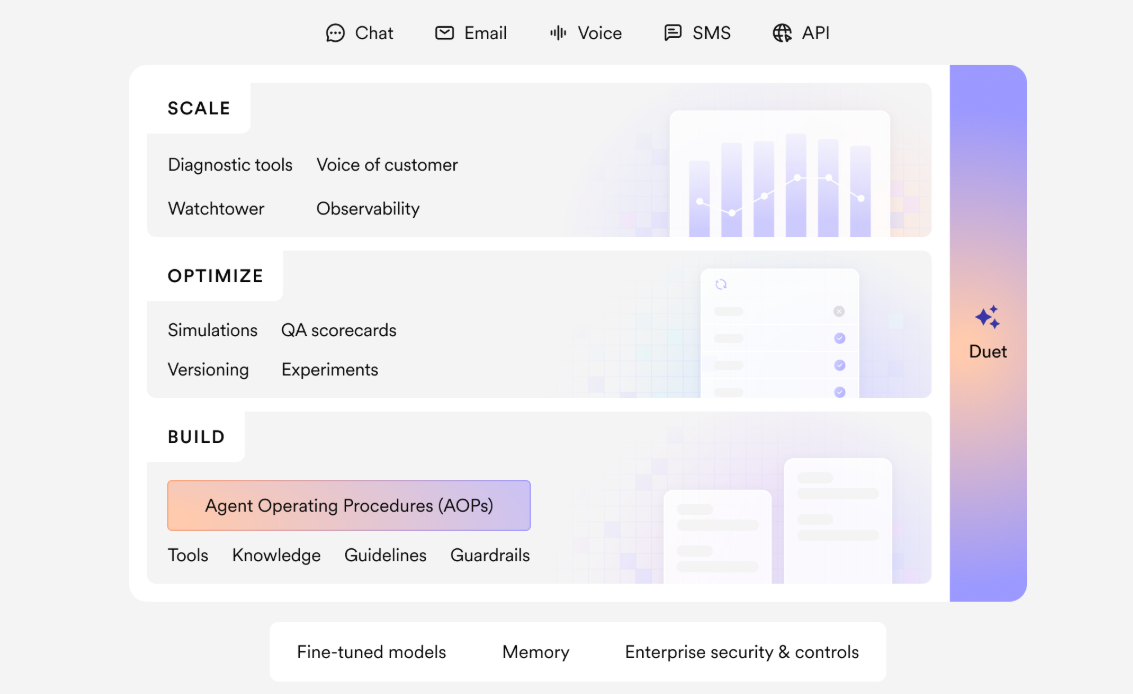
PolyAI is strong at handling the conversation itself. Decagon goes further by taking action after the customer explains what they need. It can make an account change, process a cancellation, or complete another task on the customer's behalf. Every action is logged, so support teams can see what the agent did and why.
Key Features
Agent Operating Procedures (AOPs): Natural language workflow logic that compiles into governed agent behavior, editable by CX teams without an engineering ticket
Unified omnichannel intelligence: One agent brain runs chat, voice, email, and SMS from the same underlying logic, so tone shifts but the reasoning stays consistent
Watchtower: Reviews every single customer conversation in real time against custom criteria, not a sample, surfacing compliance risks and missed opportunities
Real backend actions: Agents verify identity, look up orders, and process refunds directly inside a conversation, resolving the request instead of describing it
Trace View and Agent Workbench: Step-by-step visibility into exactly how an agent reached a decision, plus autonomous debugging for root cause analysis
Pricing
Custom. Exact figures are quoted through a demo
Rating
G2 rating: 4.8/5 (around 28 reviews)
Pros
Multilingual scalability solves cost-heavy customer support scaling problems
CX teams manage complex use cases without needing constant engineering support
Deterministic workflows reduce risk while keeping responses consistent and accurate
Integration with existing systems like Zendesk happens without major friction
The platform improves continuously, with new capabilities shipped on a regular cadence
Cons
User roles, audit logs, and regression testing remain in an early, still developing stage.
Agent Assist currently works only inside Zendesk, not other helpdesk platforms.
There's no self-serve way to test the product before a sales call
Best For: Enterprises needing AI agents that complete real actions, refunds, account changes, verification, end to end
Why Choose Decagon Over PolyAI
Decagon finishes the job inside the conversation. It verifies identity, looks up the order, and processes the refund or account change on the spot, where PolyAI's strength is handling the conversation and routing what comes next.
CX teams write the workflow logic in plain language and edit it themselves, and Watchtower reviews every conversation against your own criteria rather than a sample.
How We Evaluated These Alternatives
We ran each platform's demo or sandbox ourselves, where one was available, then checked those hands-on notes against verified reviews on G2, Gartner Peer Insights, and Capterra. We didn't take a vendor's pitch at face value.
Our platform, Callers, runs this same kind of evaluation internally whenever a new voice AI competitor launches, so this list reflects a process we already use.
For every platform, we looked at:
Buying process: Self-serve, sales-led, or fully managed, since that shapes how fast a team can realistically move
Channel depth: Whether a platform genuinely spans voice, chat, and text, or simply bolts voice onto an existing chat product
Testing and governance: Real simulation, QA, and guardrail tooling, not just a vendor's claim that an agent won't hallucinate
Documented outcomes: Case studies with real numbers attached weighed heavier than marketing copy describing what a platform could theoretically do
This market is moving quickly, so we're not treating this list as set in stone. We'll keep monitoring these platforms closely and update our rankings as things change.
How to Choose the Best PolyAI Alternative
Run each option through these checks before you commit.
Match the buying model to your team: A platform built around six-figure, sales-led enterprise contracts will frustrate a lean CX team that needs to move this quarter, and the reverse holds just as true.
Weigh outbound depth too: Plenty of platforms hold up well on an inbound call but treat retries, sequencing, and campaign logic as an afterthought bolted on later.
Find out who actually edits the agent day to day: If every script change routes through a vendor's engineering queue, your team's speed is capped by someone else's backlog.
Look past demo voice quality: Ask how a platform behaves at your real call volume and inside your industry's compliance requirements, not in a five-minute sales call.
Time how fast a first campaign can go live: Callers built its own onboarding around getting a team's first sequence running within days, not a quarter.
Price the total cost, not the headline rate: Per-minute, per-resolution, and per-contact models each hide different costs at scale, so run your own volume through the math before signing.
Frequently Asked Questions (FAQs)
Can I Switch From PolyAI Without Ripping Out My Whole Contact Center?
In most cases, yes. Several platforms here are built to sit on top of what you already run, Genesys, Avaya, Amazon Connect, rather than replace it, and most others connect through Twilio, SIP, or a direct API. Your phone infrastructure usually stays exactly where it is.
Will I Lose My Customers’ Conversation History in the Switch?
Not if the new platform connects to the CRM or helpdesk you already use. Tools that integrate directly with Salesforce, HubSpot, or Zendesk pull in existing customer context instead of starting cold. History specific to PolyAI itself usually doesn't carry over automatically, and gets rebuilt through those connected systems during onboarding.
Does Anything Here Handle Multiple Languages As Well as PolyAI?
Yes, and Callers goes a step further. It switches languages mid-call in real time, with no drop and no new session, which matters most for teams whose customers move between languages without warning.automatically and
Do These Tools Actually Do Things or Just Talk?
It depends on the platform. Callers routes complex calls to a live agent with full context attached, so nothing gets lost in the handoff. A few others can verify identities or process refunds inside the conversation itself. Not every platform in this category takes real action. Some stay conversation only.
Can I Try a Platform Before Signing Anything?
Some let you, some don't. A couple offer self-serve access with free starting credits, so you can test before committing to anything. Others are fully sales-gated, where a demo is the only way in before you see how the product actually behaves.
Scale Your Voice and CX Operations With Callers
Every platform on this list solves a real piece of the puzzle, whether that's testing rigor, governance, or raw infrastructure control. But the teams getting the most out of a PolyAI alternative right now are the ones treating voice as one piece of a bigger customer conversation, not the whole picture.
That's the gap Callers was built to close. One agent carries context across calls, texts, and email, so a customer never has to repeat themselves twice. Operators build and adjust campaigns themselves, without waiting on an engineering queue, and every plan comes with a dedicated CSM to get the first sequence live fast.
For a mid-market CX or growth team running both inbound and outbound at volume, that combination of speed and shared context is hard to replicate elsewhere on this list. If your team is ready to move past PolyAI's inbound-only approach and long procurement cycle, book a demo with Callers today!